Remove one person from a photo and keep the rest
Tell the AI exactly which person to take out and it leaves the rest of the group alone. One edit is free, with no sign-up.
or drag & drop it here
JPEG · PNG · WebP · up to 20 MB
Group pictures often have a single problem: an ex, a stranger who wandered in, or a colleague who has since left. Wiping everyone is easy; picking out one figure and keeping faces, clothes and poses of the others intact is the harder job this page is about.
How to do it
- Upload the group shot. Any JPG, PNG or WebP up to 20 MB.
- Describe only the person who goes. Combine where they stand with what they wear, like "the man in the blue shirt on the right".
- Check the people who stay. Use the slider to look at the neighbours' edges before you download.
How to describe the person
Think about how you'd point them out across a room. Position comes first: far left, second from right, at the back, behind the bench. Clothing comes next: colour and type, such as a red cap or striped jumper. What they're doing can settle a tie: holding a drink, looking at a phone, mid-step.
Only describe the one who leaves. Mentioning the people you want to keep can confuse the instruction. If two figures look alike, add both a position and a colour.
A worked example
Four people stood together at the end of a dock. We asked for just one of them to go, using the words below. The other three keep their jackets, stance and shadows, and the planks and mist fill the spot where the fourth was.
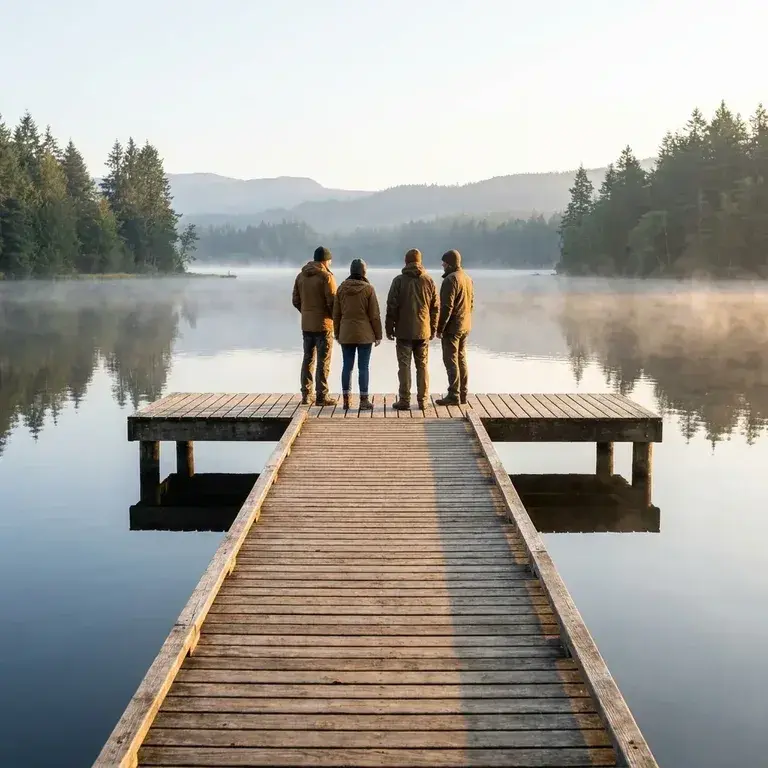
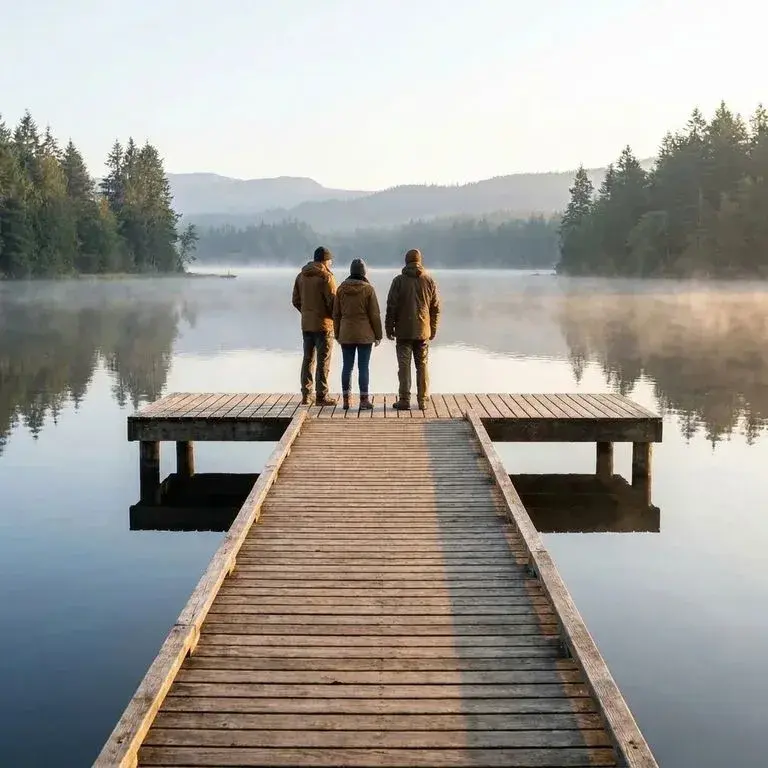 Before → after
Edges, hands and shadows
Where the removed figure stood beside someone, the AI rebuilds the remaining person's outline: a sleeve, a shoulder, the side of a bag. Shadows and reflections cast by the departed person usually go with them. Hands resting on someone else's shoulder are the most common giveaway, so zoom in there.
Where it struggles
People who overlap or hug are the hard case. When an arm is wrapped around a friend who stays, or one body hides half of another, the model has to invent the hidden part of the person you're keeping. It will make a sensible guess, but check faces and fingers carefully, and consider a looser crop. For tips specific to big line-ups, see the group photo guide.
Limits
One free edit per person; limits apply per account, device and network.
Not available in every region.
The free preview is screen size; sign in with Google, free, to download the HD file.
Related
New here? See how the free edit with no sign-up works. There are more tips on removing someone from a photo, or open the AI people remover.