Remove a person from an image
Load an image file, write who should vanish, and the AI repaints what was behind them. It runs in the browser on any device, and your first edit needs no sign-up.
or drag & drop it here
JPEG · PNG · WebP · up to 20 MB
Whether the file came from a camera roll, a download folder or a design export, the process is the same. The model looks at the whole picture, removes the figure you named, and continues the surrounding texture, light and perspective into the gap.
How to do it
- Choose an image file. JPG, PNG and WebP are accepted, up to 20 MB each.
- Name the person to remove. Mention where they are or what they wear, for example "the woman on the path".
- Check the result. Run it, then slide between the original and the edit to inspect the detail.
Supported files and the 20 MB limit
The uploader takes JPEG, PNG and WebP. HEIC photos from an iPhone usually convert to JPEG automatically when you pick them from the photo library; if one doesn't, export it as JPEG first. Files larger than 20 MB are refused before anything is sent, so you won't lose your free edit to an oversized upload.
Very large pictures are scaled down for processing, and the finished download comes back in 1K HD once you're signed in.
Screenshots and graphics versus photos
The model is trained on real-world scenes, so camera pictures give the most natural fills. Screenshots of photos work too. Flat graphics, illustrations, memes with captions and anything containing text are less predictable: the AI may redraw lettering or smooth a pattern. For those, crop close to the area that matters before uploading.
A worked example
This image showed a woman on the gravel path of a front garden. The instruction below was the only input. Notice how the stones and the wooden gate continue through the space she left.
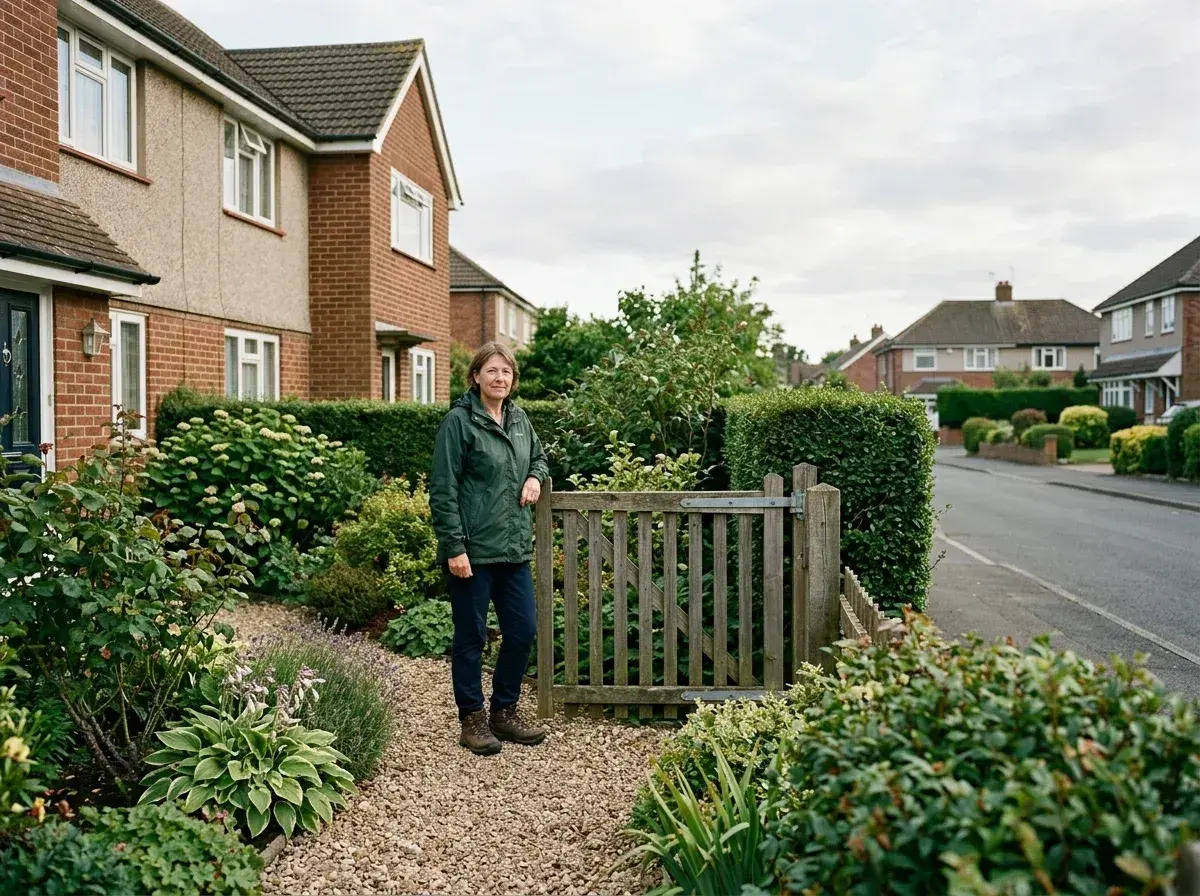
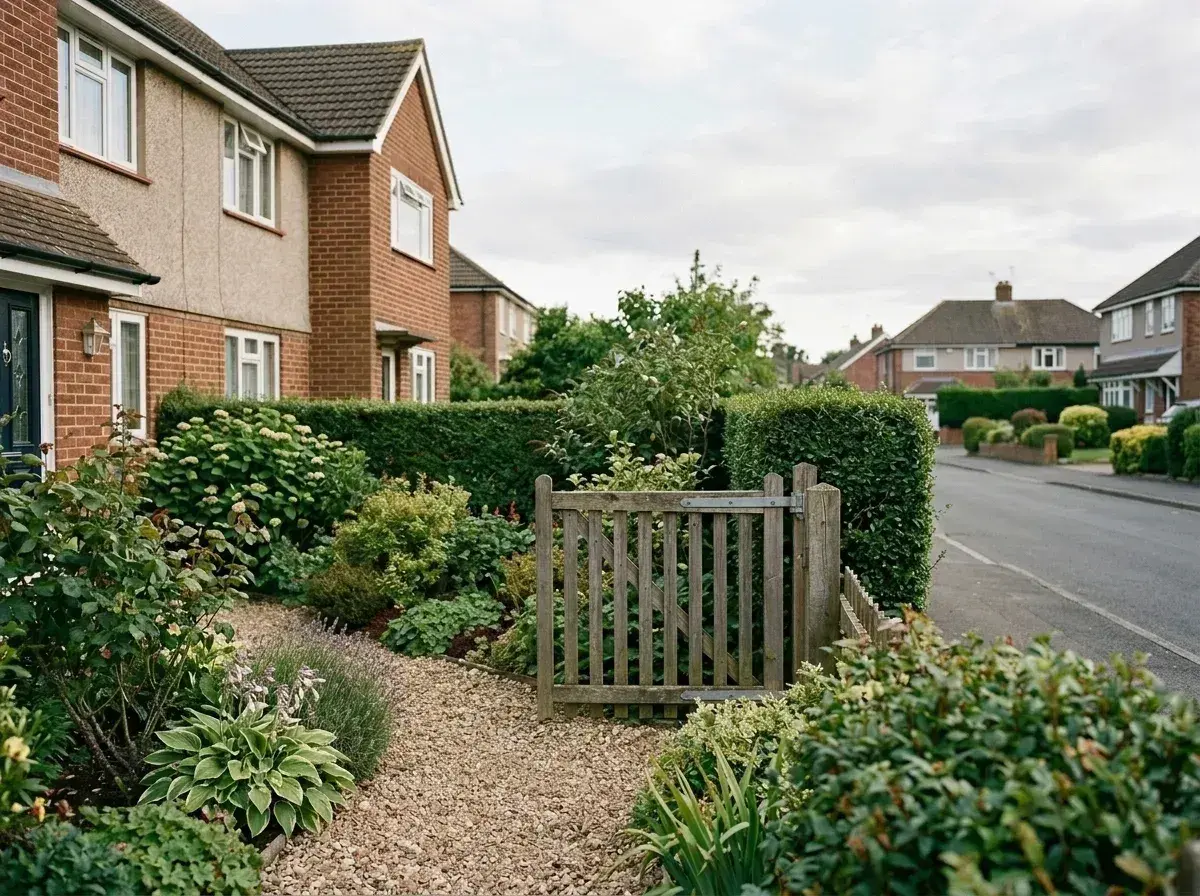 Before → after
Where it struggles
Tight crops where a person fills the frame leave little real background to borrow from. Mirrors, windows and water can keep a faint reflection. Low-resolution or heavily compressed files tend to produce softer patches, because there is less texture to copy. Two people standing very close or touching are harder to separate cleanly.
Limits
One free edit per person; limits apply per account, device and network.
Not available in every region.
The free preview is screen size; the 1K HD file needs a free Google sign-in.
More ways to use it
Trying it for the first time? Read how the free, no sign-up edit works. To take out just one person and keep the others, there's a dedicated guide. For everything else, open the AI people remover.