Remove a person from a photo free, with no sign-up
Drop in a picture, type who should disappear, and watch the AI clear them out. No account, no email and no card are needed to try it once.
or drag & drop it here
JPEG · PNG · WebP · up to 20 MB
This page exists for one reason: you want to see whether the tool can handle your photo before you hand over any details. So the first run happens right here, signed out. If you like the preview, a free Google sign-in unlocks the full-size file. If you don't, close the tab and nothing is owed.
How to do it
- Pick your photo. Tap the upload button and choose a JPG, PNG or WebP from your phone or computer.
- Say who goes. Write a short instruction such as "the person on the left" or "the cyclist behind us". Plain words beat technical ones.
- Run it and compare. Press Run free edit, then drag the slider across the preview to check the before and after side by side.
What "no sign-up" actually means
You can upload, describe and run your first edit without creating anything. The preview appears on this page in a few seconds, at screen size, so you can judge the result straight away.
To keep the finished file at full resolution you sign in with Google, which is free and takes one tap. We ask at that point, not before, because that is when an account starts doing something useful for you: it holds your download and any edits you buy later. There's no trial that turns into a bill.
A worked example
Here a hiker with a backpack was standing on a timber lookout. We gave the tool the instruction below and nothing else. It took her out, filled in the planks and handrail she had been covering, and kept the water and treeline unchanged. Drag the handle to compare.
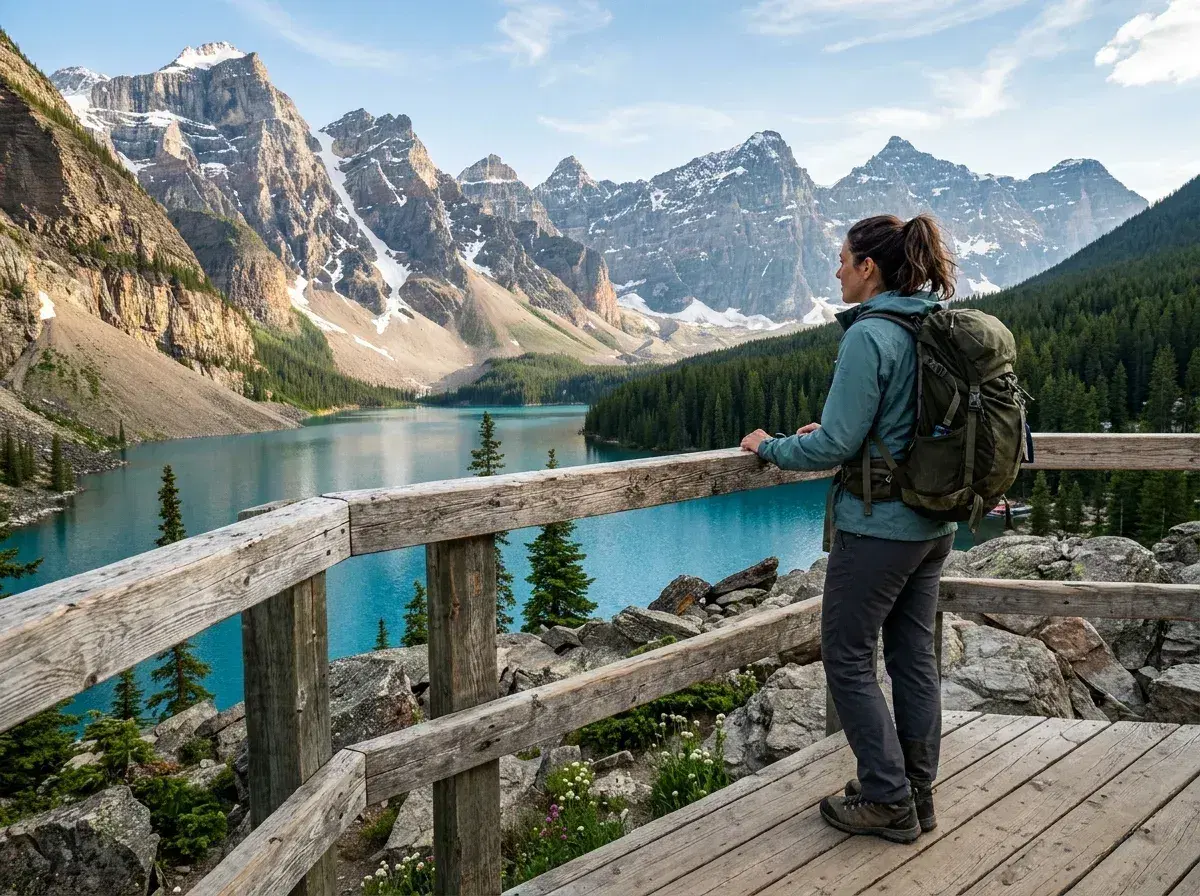
 Before → after
Where it works and where it struggles
Results are best when the figure you're removing stands apart from what you're keeping, against scenery the model can plausibly continue: decking, sand, grass, brickwork, sky. Travel snaps and holiday shots are the sweet spot.
It finds things harder when the unwanted person is wrapped around someone who stays, takes up most of the frame, or hides a logo, sign or busy pattern. Expect to look closely at fingers and hair in those cases, and try a more specific description if the first pass misses.
Limits
One free edit per person.
Limits apply per account, device and network, so a second browser or tab won't give another free run.
Not available in every region. Where it isn't, you can still try a sample photo.
If the day's shared free allowance runs out, the widget says so and you can come back tomorrow.
After your free edit
Want more? 3 HD edits cost $4.99 as a one-off, or a plan gives you 20 edits for $9 a month. For the signed-in version of this offer, see how to remove someone online. If only one person in a group needs to go, use the single-person guide. Browse finished examples, or go straight to the AI people remover.