Remove People from Landscape Photos
Erase strangers from landscape photos in seconds. Use plain text to delete people and restore the view. No watermarks or manual masking needed.
3 HD edits for $4.99 once · no subscription
or drag & drop it here
JPEG · PNG · WebP · up to 20 MB · zero photo storage
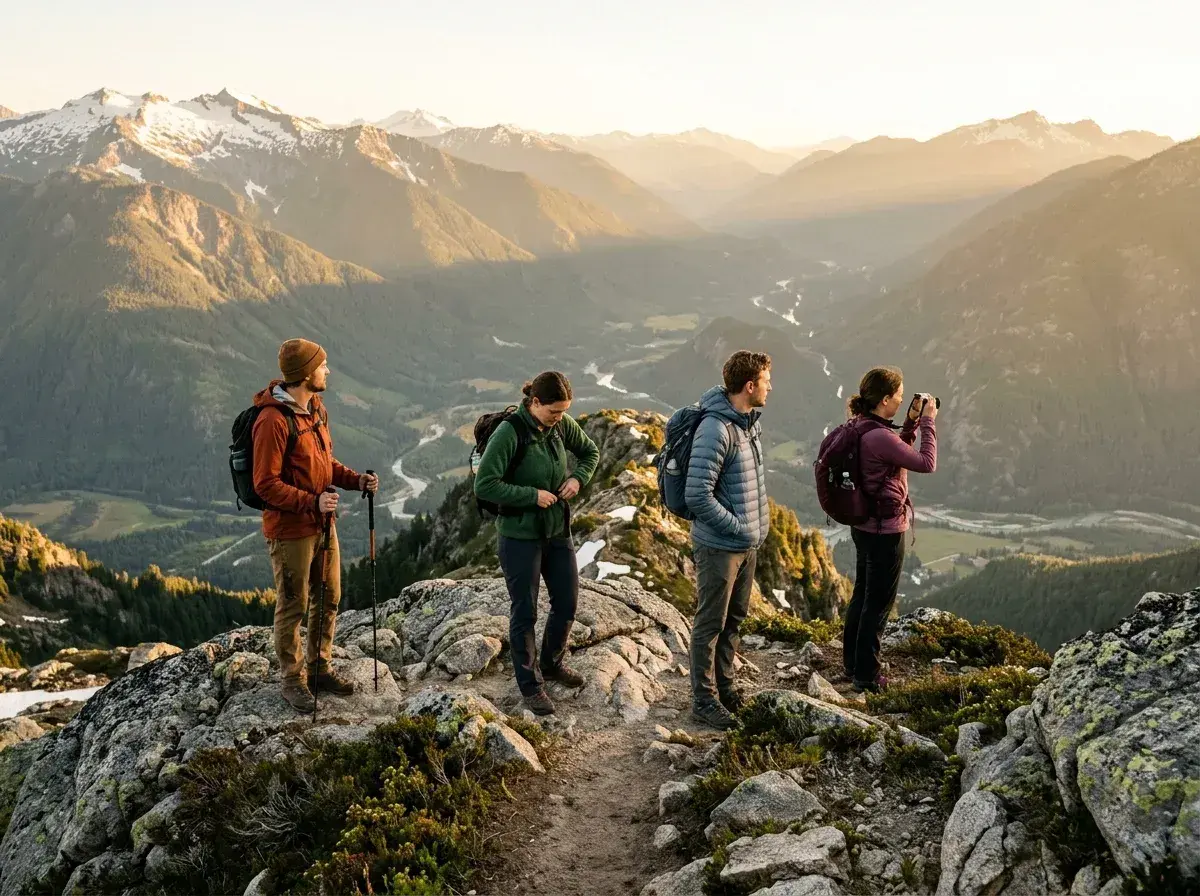
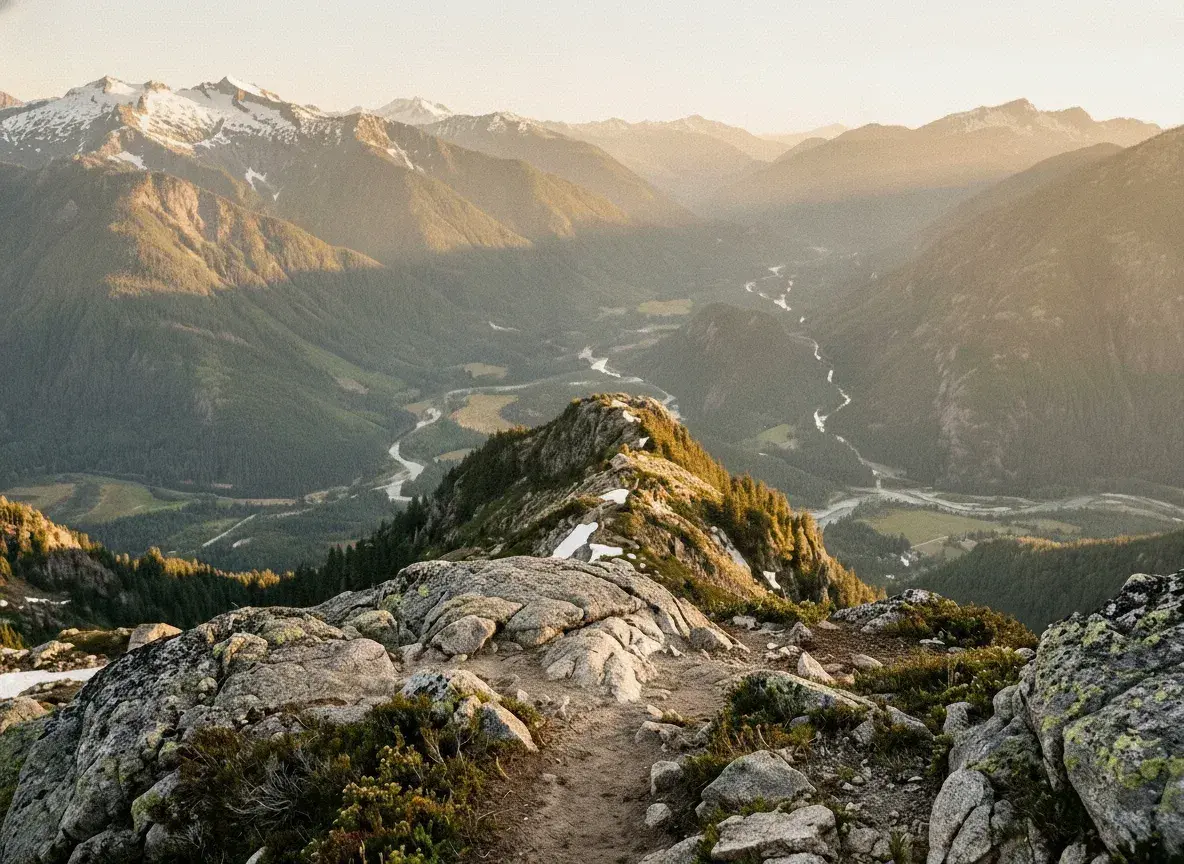 Before → after
You hiked for miles to reach the perfect overlook, waited for the golden hour, and framed the shot perfectly. But when you look at the screen, the vast, silent wilderness you experienced is crowded with strangers in neon jackets. It is a common frustration for photographers: the world is beautiful, but it is rarely empty. Our tool is designed to help you return to the empty view you actually stood in front of by allowing you to remove people from landscape photos with surgical precision.
Most editing software requires you to spend hours learning how to use complex brushes, layers, and healing tools. Even then, the results often look smudged or artificial. We have replaced that entire technical hurdle with a simple text box. By using our AI, you can describe exactly who shouldn't be there, and our model handles the heavy lifting of reconstructing the natural world behind them.
Whether you are a hobbyist looking to clean up your vacation snaps or a professional needing a distraction-free shot, our online platform provides a fast, high-quality solution. You can even test the technology right now on our homepage using our sample images to see how the editor works before you commit to a plan. To edit your own personal shots, simply choose the plan that fits your needs and start clearing the view.
This is one situation the tool handles. Remove people from any photo — upload yours and describe who should go.
The Power of Plain Language
The biggest barrier to getting a clean landscape shot is often the software itself. We believe you shouldn't have to be a graphic designer to get rid of a stranger in your picture. Our interface is built entirely around plain language. There is no brushing, no masking, and no tedious clicking around edges. You simply upload your image and type a description like "the man in the blue hat" or "everyone standing on the pier."
Our AI understands your instructions and identifies the subjects immediately. This approach is not just faster; it is more accurate. Because the tool understands the context of your request, it can distinguish between the person you want to delete and the landscape elements you want to keep. It is the most intuitive way to erase someone from a picture in your browser, requiring zero previous editing experience.
Seamless Background Reconstruction
When you take out a person from a complex landscape, the biggest challenge is filling the hole they leave behind. A simple smudge won't work when you are dealing with the intricate textures of nature. Our model is trained to understand the geometry of the world. If someone is standing in front of a waterfall, our AI doesn't just blur the area; it reconstructs the falling water and the mist.
This capability extends to all types of terrain. Whether it is the specific grain of a sand dune, the jagged edges of a rock face, or the way light filters through a forest canopy, the tool analyzes the surrounding environment to generate a believable replacement. The result is a snap that looks like the person was never there in the first place, preserving the scale and majesty of the original scene.
Speed and Privacy Without Compromise
You can remove people from landscape photos online by describing who should go. Processing time varies with the photo and current demand. Review the result for natural-looking terrain before you download it.
Privacy is a core pillar of our service. Unlike other platforms, we never store your photos. Your image is processed entirely in memory and is gone the moment your edit is returned to you. Nothing is ever written to a disk, nothing is retained on our servers, and we never use your personal photos to train our AI. You can edit your images with the peace of mind that your data remains yours alone.
Flexible Plans for Every Photographer
We offer three simple tiers to match your workflow. Our Starter plan is $9/mo and includes 20 edits at standard 1k resolution. For those who need more volume and higher detail, the Plus plan at $19/mo offers 50 edits at 2k resolution. If you are looking for the highest possible quality for large prints or professional portfolios, our Studio plan at $49/mo provides 100 edits at max 4k resolution.
All of our paid plans come with watermark-free downloads, so your landscapes stay clean and professional. We believe in transparency and flexibility: you can cancel your subscription in one single click at any time. Your unused edits refresh every month, ensuring you always have the tools ready when your next photography trip comes around.
More real results
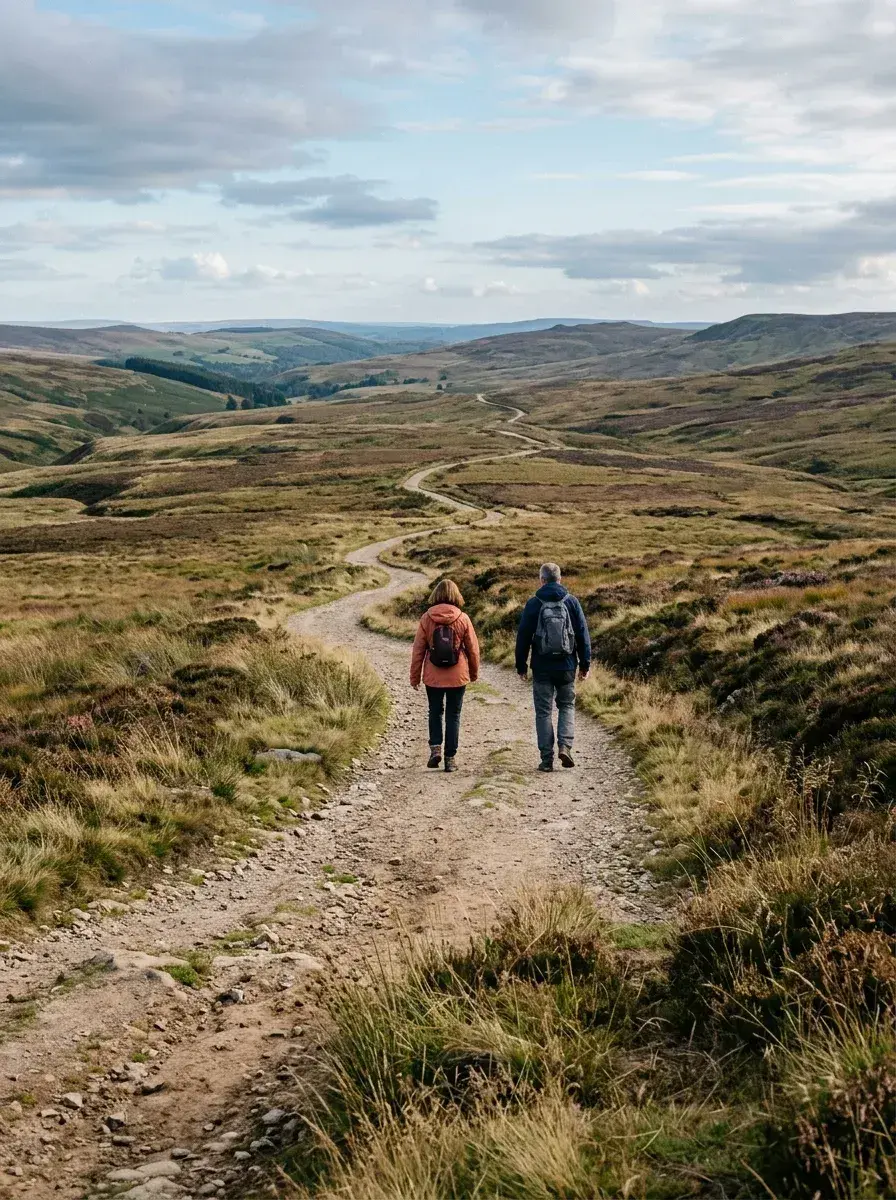
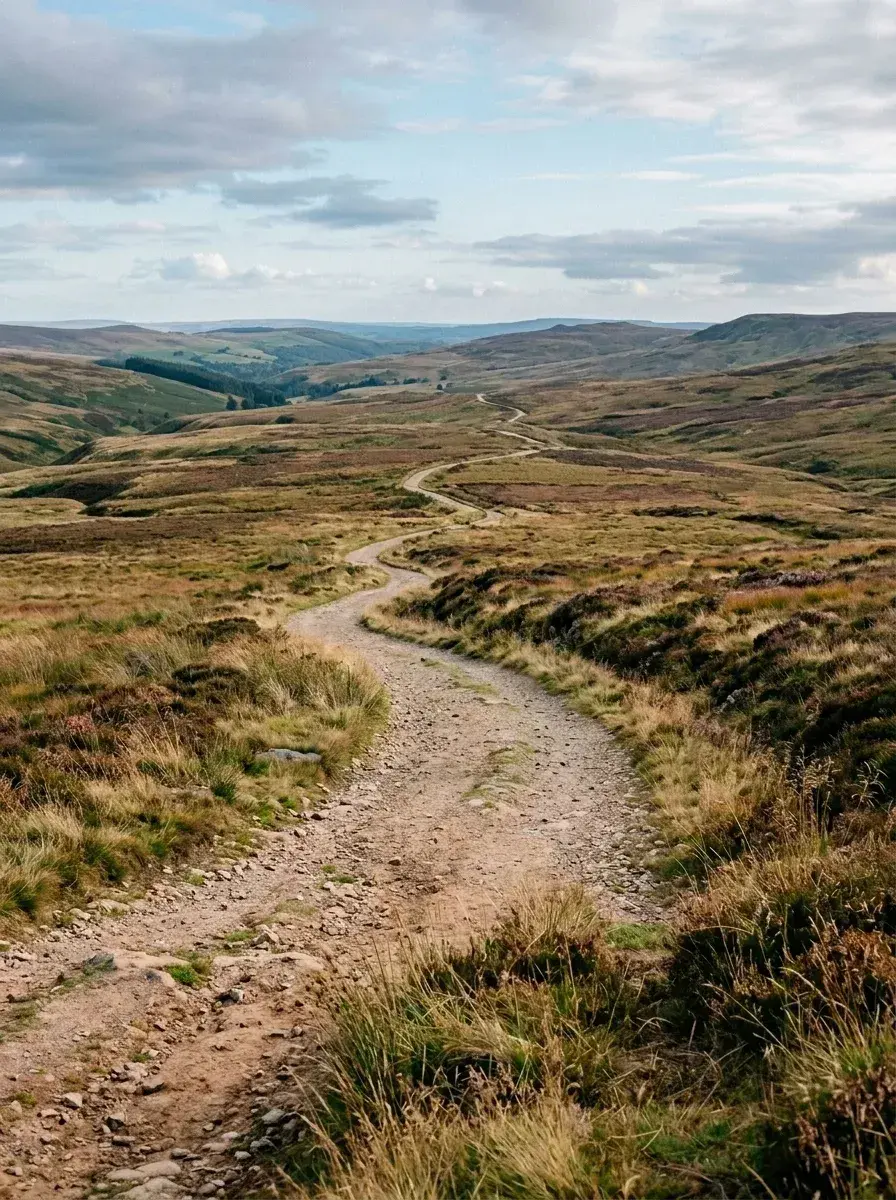 Before → after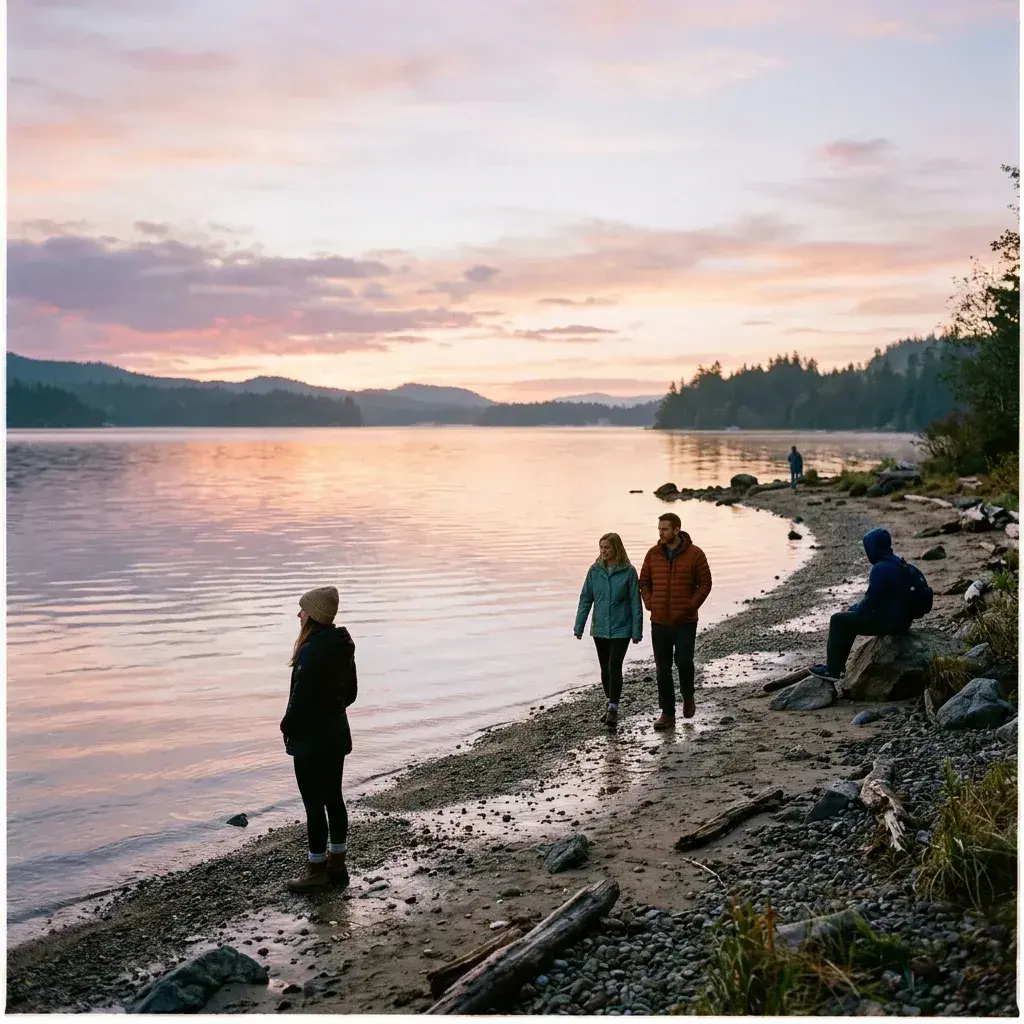
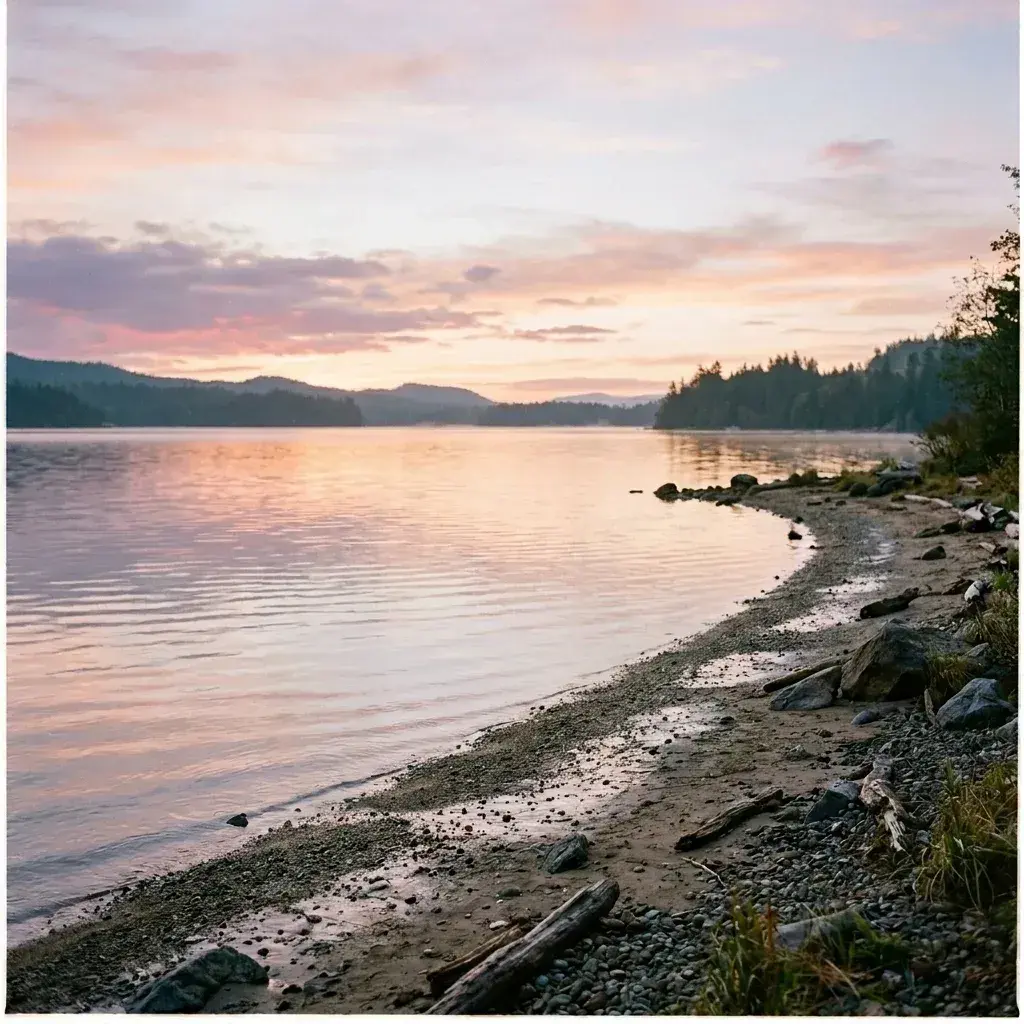 Before → after
Common questions
Can the AI fill in grass, rock, and water where someone was standing?
What if the people are very small and far away in the frame?
Does it change the colors or exposure of the rest of the photo?
Do I need to install any software to use this?
Are there watermarks on the downloaded images?
How does the edit refresh work?
Ready to fix your photo?
3 HD edits for $4.99 once · no subscription. Each new generation uses one edit.
or drag & drop it here
JPEG · PNG · WebP · up to 20 MB · zero photo storage