Remove someone from a photo and keep everyone else
or drag & drop it here
JPEG · PNG · WebP · up to 20 MB · zero photo storage
Tell us who to remove. First edit free with Google sign-in, no watermark.
3 HD edits for $4.99 once · no subscription

 Before → after
Usually you don't want to remove "people" — you want to remove one person: the stranger who walked into your holiday shot, the colleague who has left, the guest who blinked in the only good group photo. Describe that one person, and the AI removes them and fills the gap while leaving everyone else as they were. It's the same tool that lets you remove people from your photos with AI, aimed at one person.
How to describe the right person
The clearer the description, the better the result. Point to them the way you'd point them out to a friend:
by position: "the woman on the far right", "the second man from the left in the back row";
by clothing: "the man in the grey hoodie";
by what they're doing: "the person taking a photo in the background".
Keep the right people
Avoid describing people you want to keep. If two people look alike, add position as well as clothing. This matters most in group photos.
What happens to the space they leave
The AI rebuilds whatever was behind them, using the rest of the photo as a guide. In a group shot, that might mean closing a gap so the line looks natural; on a street, it's pavement and shopfronts; indoors, a wall or a doorway. Shadows and reflections of the removed person are usually removed too.
When it's harder
If the person you're removing has an arm around someone you're keeping, or is standing directly in front of them, the AI has to invent part of the person who stays. It will try, but check faces and hands closely. Photos where the person fills most of the frame are also harder, because there's little background left to work from.
Free to try
Sign in with Google and your first edit is free. If an edit fails, it isn't counted. After that, 3 HD edits cost $4.99, with no subscription.
Respect the people in your photos
Removing someone from your own photo is fine — including an ex from old photos; using edited photos to mislead or harm people isn't. Don't present an edited photo as an untouched record where that matters, such as in news, legal or official documents.
Your photos
Photos are used to make your edit and aren't stored on our servers afterwards. See our privacy page for details.
More real results

 Before → after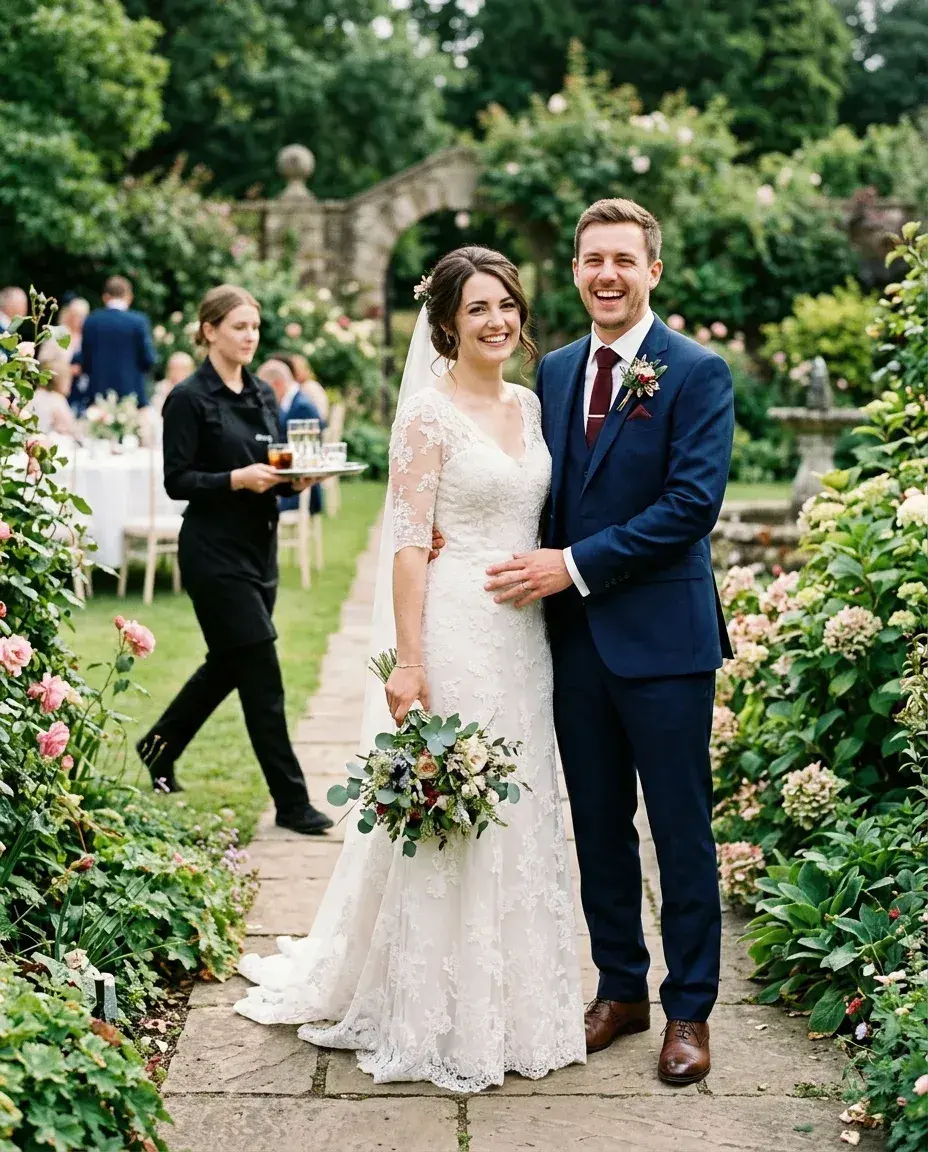
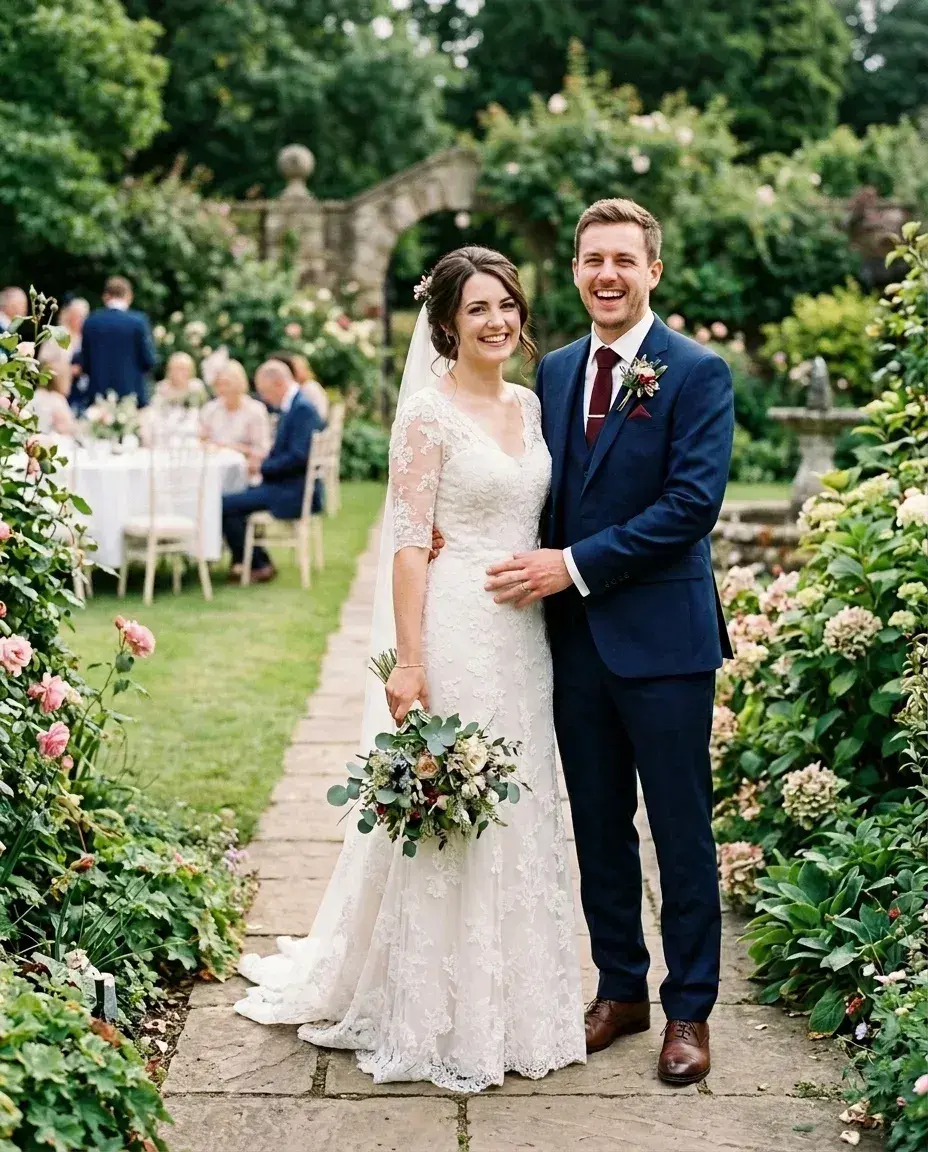 Before → after
Common questions
Can I remove just one person from a group photo?
Can I remove two people at once?
Is it free?
Will it change the people I keep?
Ready to fix your photo?
3 HD edits for $4.99 once · no subscription. Each new generation uses one edit.
or drag & drop it here
JPEG · PNG · WebP · up to 20 MB · zero photo storage