removepeople.ai

Remove a Person from a Photo Online

Use our AI to remove person from photo online free with sample images. Get clean, watermark-free results in seconds. No editing skills required.

or drag & drop it here

JPEG · PNG · WebP · up to 20 MB · zero photo storage

No watermark Zero photo storage Cancel anytime
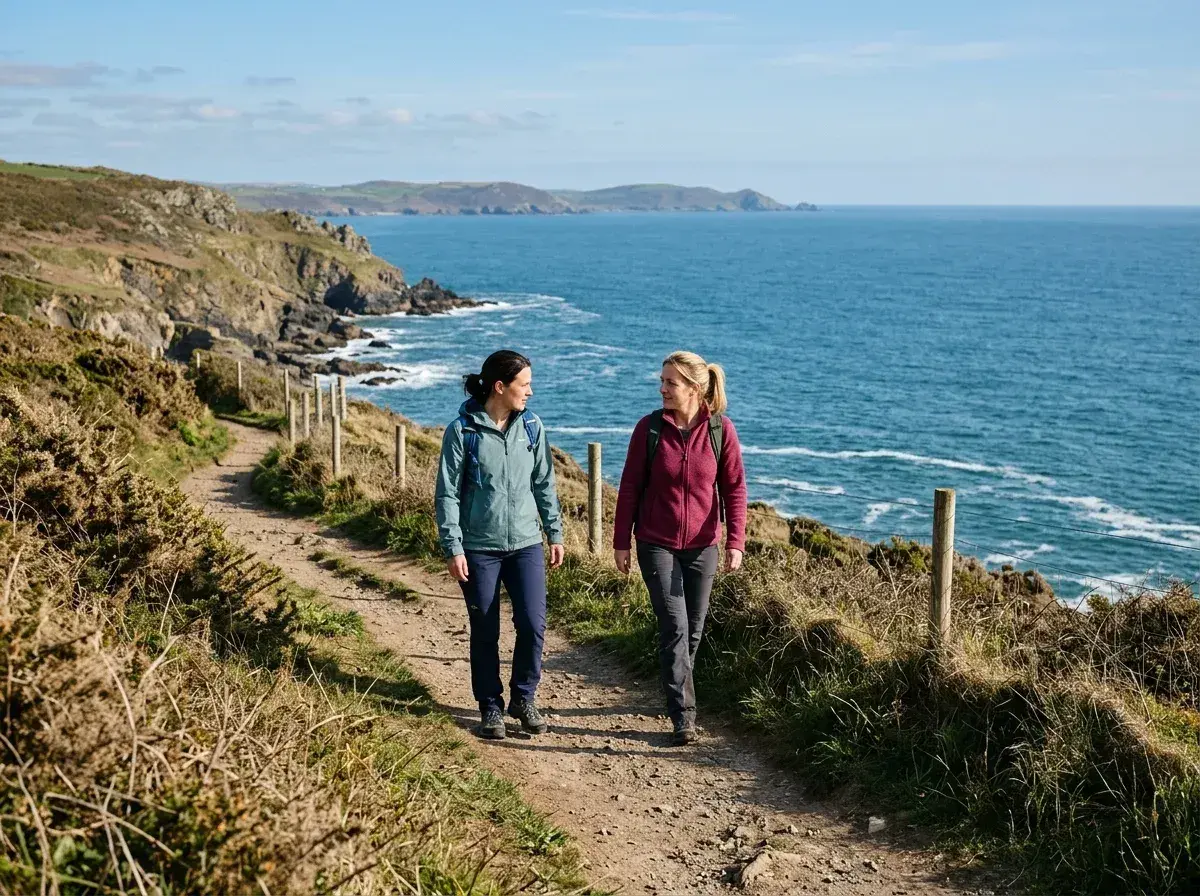
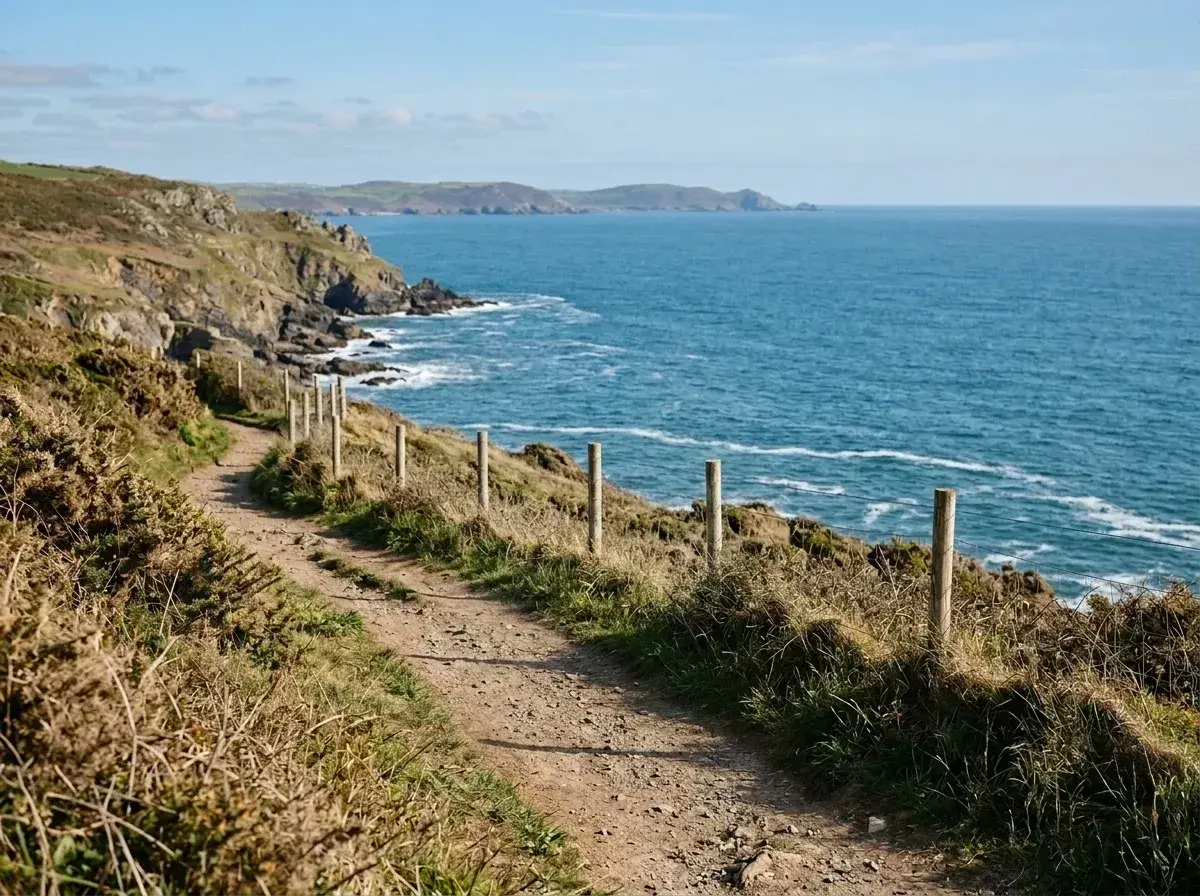
A dirt path winds along a grassy cliffside overlooking the sea with no people present.Before → after
The tool removes two women walking along a coastal path.

Finding the perfect shot only to realize a stranger is standing right behind you is a common frustration. Whether it’s a tourist in your vacation snap or a passerby in a professional headshot, you need a way to clean up the image without spending hours in complex software. Our tool allows you to remove a person from a photo online free of charge when using our provided sample images, giving you a risk-free way to see exactly how our AI handles complex backgrounds.

Most tools require you to carefully brush over the area you want to erase, often leaving behind blurry smudges or distorted textures. We’ve replaced that tedious process with a simple text box. You just describe who you want to take out, and our model handles the rest. It’s designed to be the fastest, most intuitive way to get rid of unwanted people from your pictures directly in your browser.

While many sites promise a completely free experience only to hide the result behind a watermark or a low-resolution export, we take a more transparent approach. You can run the complete editor on any of our sample photos with no payment and no sign-up required. This allows you to test the speed and quality of our AI before you ever commit to a plan for your own personal images.

This is one situation covered by our main guide, Remove a Person from a Photo — start there if you want the full walkthrough.

The Power of Plain Language Editing

The biggest hurdle with traditional photo editing is the learning curve. Usually, if you want to delete someone from a picture, you have to zoom in, select a brush tool, and hope your hand is steady enough to mask them perfectly. Our AI changes that. There is no brushing, no masking, and no manual selecting. The entire interface is built around plain language.

When you upload a photo, you simply type a description like 'the man in the red jacket' or 'everyone behind us.' Our model understands the context of the scene, identifies the subjects you’ve described, and removes them in under 10 seconds. It doesn’t just cut them out; it intelligently reconstructs the background—whether it’s a complex cityscape or a crowded beach—to make it look as if the person was never there. This 'describe-to-erase' workflow makes professional-grade editing accessible to anyone with an internet connection.

Why We Charge for Your Own Photos

We know many users are looking to remove person from photo online free, which is why we provide a fully functional playground using our sample gallery. You can experiment with different prompts and see the AI reconstruction in real-time without spending a cent. However, processing your own unique photos requires a paid plan starting at $9 per month.

The reason for this is simple: every time our AI processes an image, it uses a significant amount of high-end computing power. To maintain a service that is fast, private, and high-quality, we charge a small fee to cover these compute costs. Unlike other platforms, we don't show you ads and we don't sell your data. Your subscription ensures that every edit is processed on dedicated hardware, delivering a clean, watermark-free result in seconds. Our plans are straightforward: Starter ($9/mo for 20 edits), Plus ($19/mo for 50 edits), and Studio ($49/mo for 100 edits and 4K output). You can cancel any plan with a single click, and your unused edits refresh every month.

Privacy-First Browser Editing

One of the biggest advantages of using our tool is that there is nothing to install. Everything runs directly in your browser, meaning you can erase someone from a photo on your laptop, tablet, or phone without downloading bulky software. This makes it the ideal solution for quick edits on the go or for users who don't want to clutter their devices with single-use apps.

Privacy is also a core pillar of how we operate. Many online editors store your images on their servers for days. We don't. Your image is processed entirely in memory and is gone the moment the edit is returned to you. Nothing is ever written to a hard drive, nothing is retained, and we never use your personal photos for AI training. When you use our tool to get rid of a stranger in your shot, you can be certain that your original image and the edited version remain your business alone.

Professional Results for Every Snap

Whether you are a real estate agent trying to clear a stray person from a listing photo or a traveler wanting to take out a photobomber from a landmark shot, the quality of the reconstruction is what matters most. Our AI doesn't just 'smudge' the area; it generates new pixels that match the lighting, shadows, and perspective of the original scene.

For those who need the highest possible quality, our Studio plan offers 4K output, which is perfect for large prints or professional displays. For everyday social media snaps or personal memories, our Starter and Plus plans provide standard and high-resolution exports that look seamless on any screen. Because we don't use watermarks on any of our paid downloads, your photos are ready to be shared or printed immediately. It’s a professional-grade solution that fits in your pocket and works in seconds.

More real results

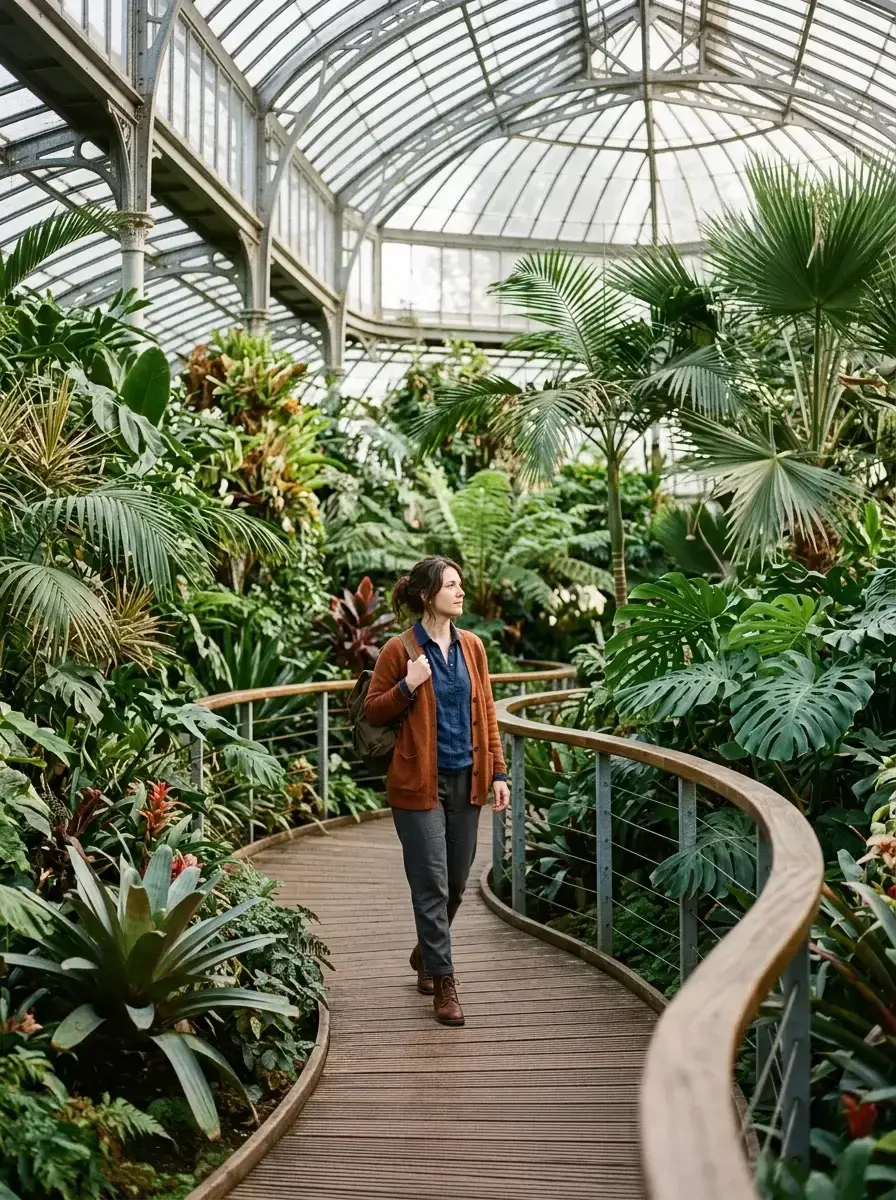
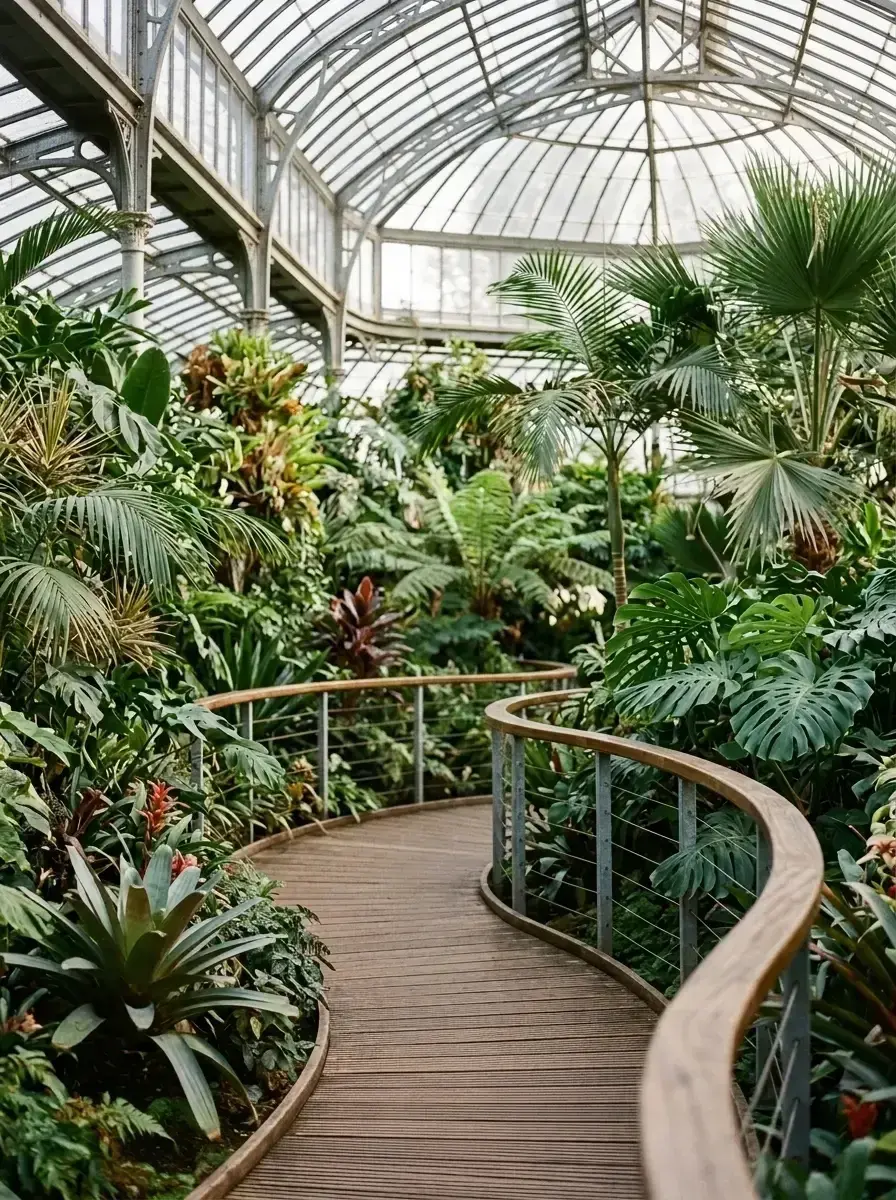
An empty curved wooden path winds through a greenhouse filled with lush tropical plants under a glass roof.Before → after
The tool removes a woman from a wooden walkway inside a lush greenhouse.
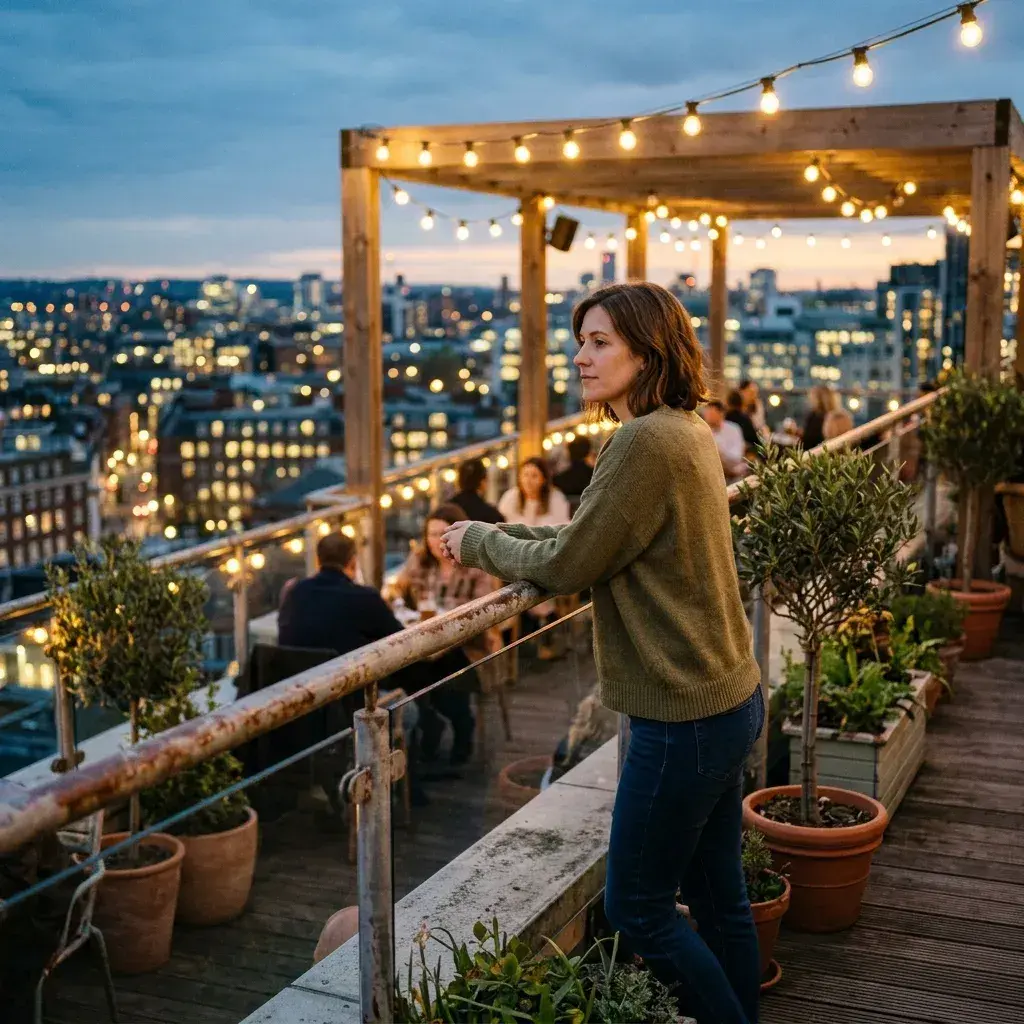
An empty rooftop terrace with wooden furniture and potted plants overlooking a city skyline at dusk.Before → after
The tool removes a woman and several background patrons from a rooftop terrace.

Common questions

What can I do without paying?

You can use the full editor on any of our sample photos for free. This allows you to test the AI, try different text prompts, and see the quality of the background reconstruction without needing to enter any payment information or create an account.

Do I need to create an account to try it?

No account is needed to try the tool on our sample images. If you want to upload and edit your own photos, you will need to select a plan and create an account so we can manage your edit balance.

Why do my own photos need a plan?

Every edit you perform on a personal photo requires a significant amount of AI compute power. We charge a monthly fee to cover these hardware costs and to ensure we can provide a fast, private service without relying on ads or selling user data.

Can I cancel my subscription?

Yes, you can cancel your plan at any time with a single click from your account settings. There are no long-term contracts or hidden fees.

Is there a watermark on my downloads?

No. All edits performed under our Starter, Plus, and Studio plans are delivered without watermarks, so your photos are ready for professional or personal use immediately.

How long does it take to process an image?

Our AI typically completes the removal and background reconstruction in under 10 seconds, depending on the complexity of the request.

Fix your photo in the next minute

Plans from $9/month · cancel anytime

or drag & drop it here

JPEG · PNG · WebP · up to 20 MB · zero photo storage