Remove a Photobomber from a Photo
Use our AI to remove photobomber distractions in seconds. Just describe who to remove. No watermarks, no manual brushing. Get high-res results now.
3 HD edits for $4.99 once · no subscription
or drag & drop it here
JPEG · PNG · WebP · up to 20 MB · zero photo storage
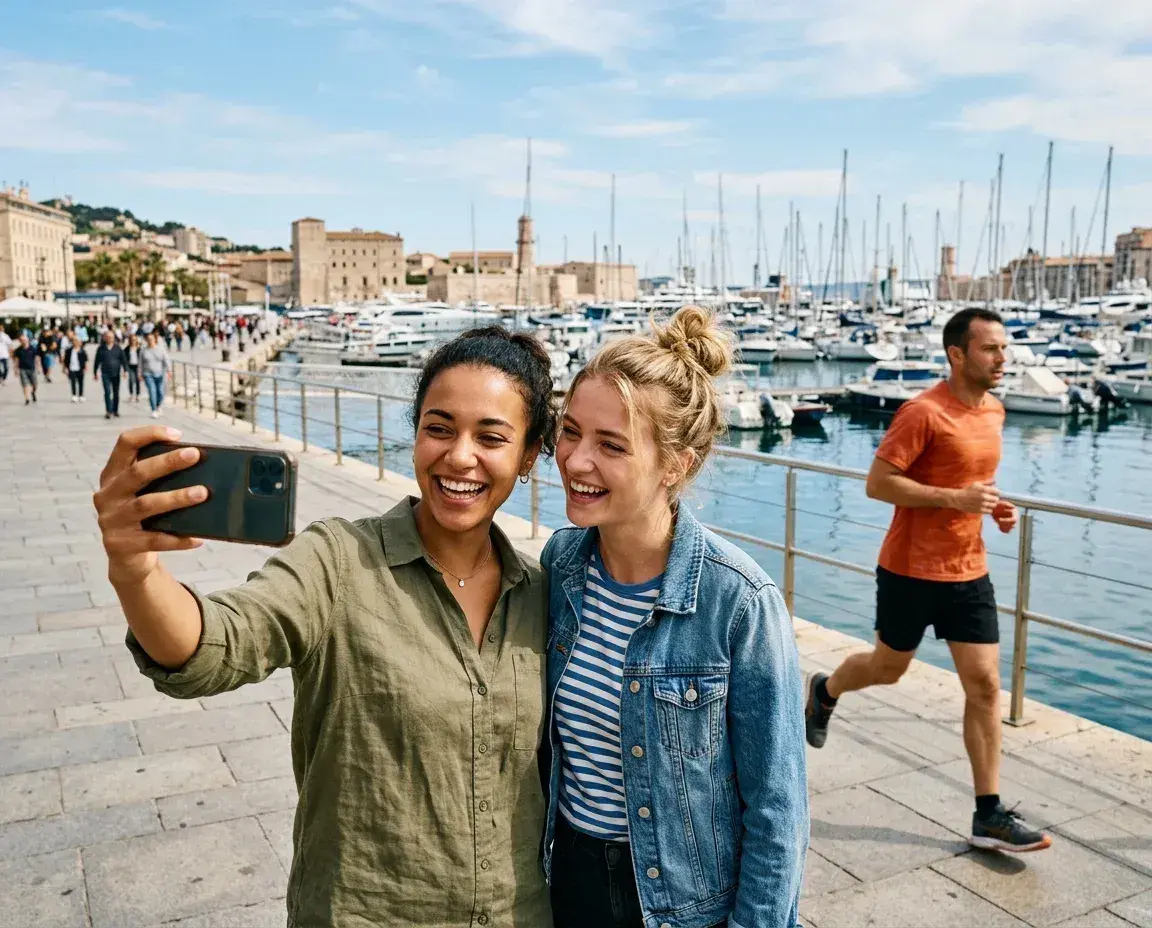
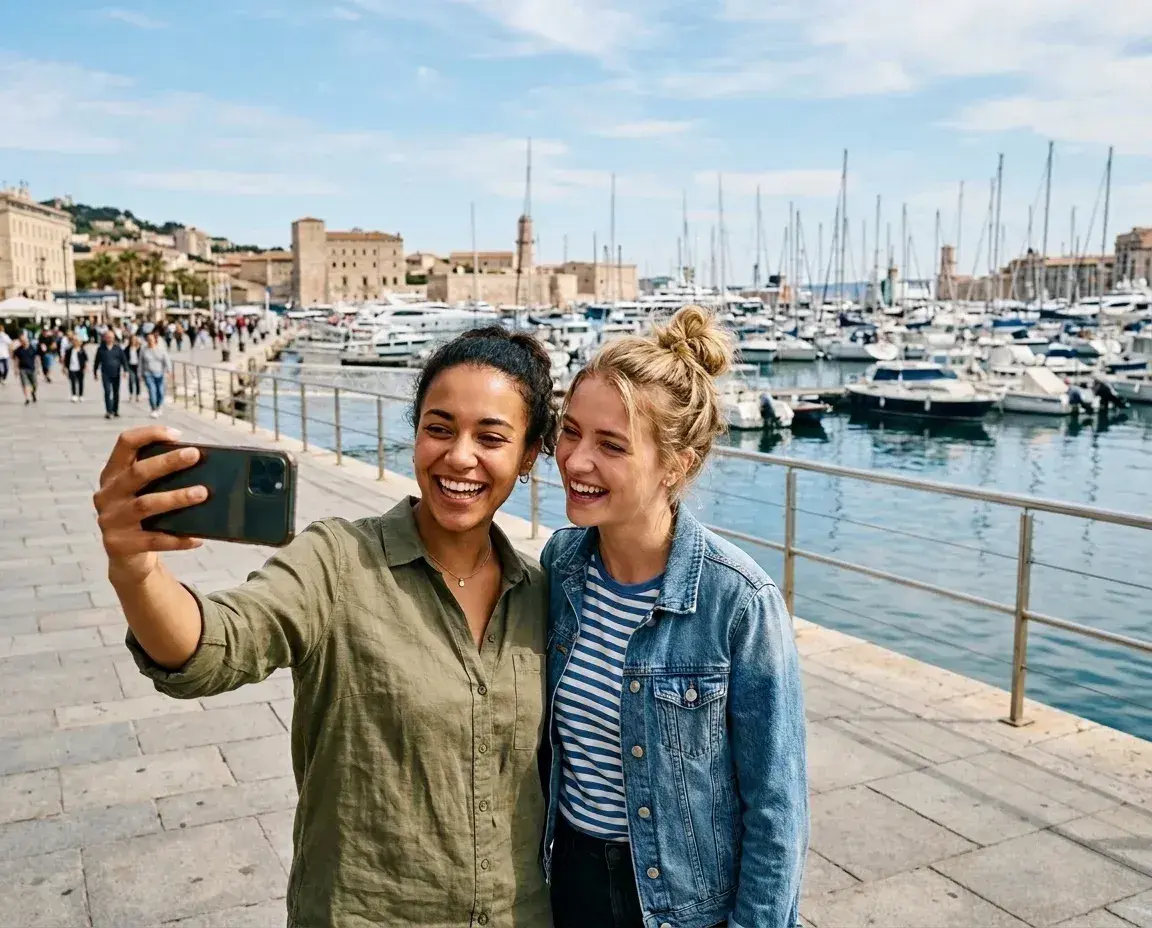 Before → after
You finally got the lighting right. The pose was perfect. You captured that mid-air jump or that rare moment of genuine laughter between you and your partner. Then you look at the screen and see him: a stranger in the background making a face, or someone walking through your frame at the exact wrong moment. A photobomber can turn a professional-grade memory into a throwaway file.
At removepeople.ai, we specialize in the 'one-ruined-shot rescue.' You don't need to be a professional editor or spend hours with a clone stamp tool to save your photo. Our tool is designed to identify the intruder and reconstruct the background behind them so seamlessly that it looks like they were never there in the first place.
Whether it is a tourist behind a couple’s sunset kiss or a random passerby in your favorite selfie, our AI handles the heavy lifting. You don't have to worry about complex software or subscription traps. We provide a straightforward way to get the clean, focused image you intended to take, delivered in under ten seconds.
This is one situation the tool handles. Remove people from any photo — upload yours and describe who should go.
The One-Ruined-Shot Rescue
Photobombs happen in the blink of an eye. Sometimes they are intentional, like a stranger jumping into your group shot, and sometimes they are accidental, like a pedestrian wandering into your frame during a vacation photo. These distractions pull the viewer's eye away from the subject and ruin the composition of the image. Our tool is built specifically for these scenarios.
Because our AI understands the context of a scene, it doesn't just 'blur' the intruder. It analyzes the surrounding environment—the texture of the grass, the pattern of a brick wall, or the gradient of a sunset—and reconstructs that space. This means you can rescue that one perfect shot that you thought was destined for the trash bin. You only need one edit credit to transform a ruined photo into a keeper.
No Brushing, No Masking, Just Plain English
Most photo editing tools require you to zoom in and carefully brush over the person you want to remove. If your hand slips or you miss a few pixels around the edges, the result looks warped and artificial. We have completely removed the brush from the interface. Instead, you use plain language to tell our AI what to do.
After you upload your photo, you simply type a description like 'remove the man in the red jacket' or 'remove everyone behind us.' Our model identifies the specific individuals you described and removes them with surgical precision. This text-based interface ensures that you don't need any technical skills or artistic talent to get professional results. It is the fastest way to remove photobomber distractions without the frustration of manual selection.
Handling Complex Photobombs and Touching Subjects
One of the most difficult edits is when a photobomber is physically close to or even touching the main subject. Perhaps a stranger leaned into your frame and their shoulder is overlapping yours, or someone’s hand is visible on the edge of your clothing. Traditional automated tools often fail here, leaving behind 'ghost' limbs or distorted edges on the person you want to keep.
Our AI is trained to distinguish between the subject and the distraction, even when they are in close proximity. It can remove the unwanted person while intelligently rebuilding the parts of your clothing or the background that were obscured. While no AI is perfect, our model is designed to maintain the integrity of the people you want to keep, ensuring the final result looks natural and untouched.
Transparent Pricing and Privacy
We believe in a simple, transparent service. We offer three straightforward plans: Starter ($9/mo for 20 edits), Plus ($19/mo for 50 edits and high resolution), and Studio ($49/mo for 100 edits and 4K output). There are no hidden credit packs or complicated top-ups. If you don't use all your edits in a month, your balance refreshes at the start of the next billing cycle. You can cancel your subscription with a single click at any time.
Your photo is processed in memory for the edit, not stored on our servers, and not used to train AI models. Paid downloads have no watermark. Check the result before sharing or printing it, especially where the removed person overlapped your subject.
More real results
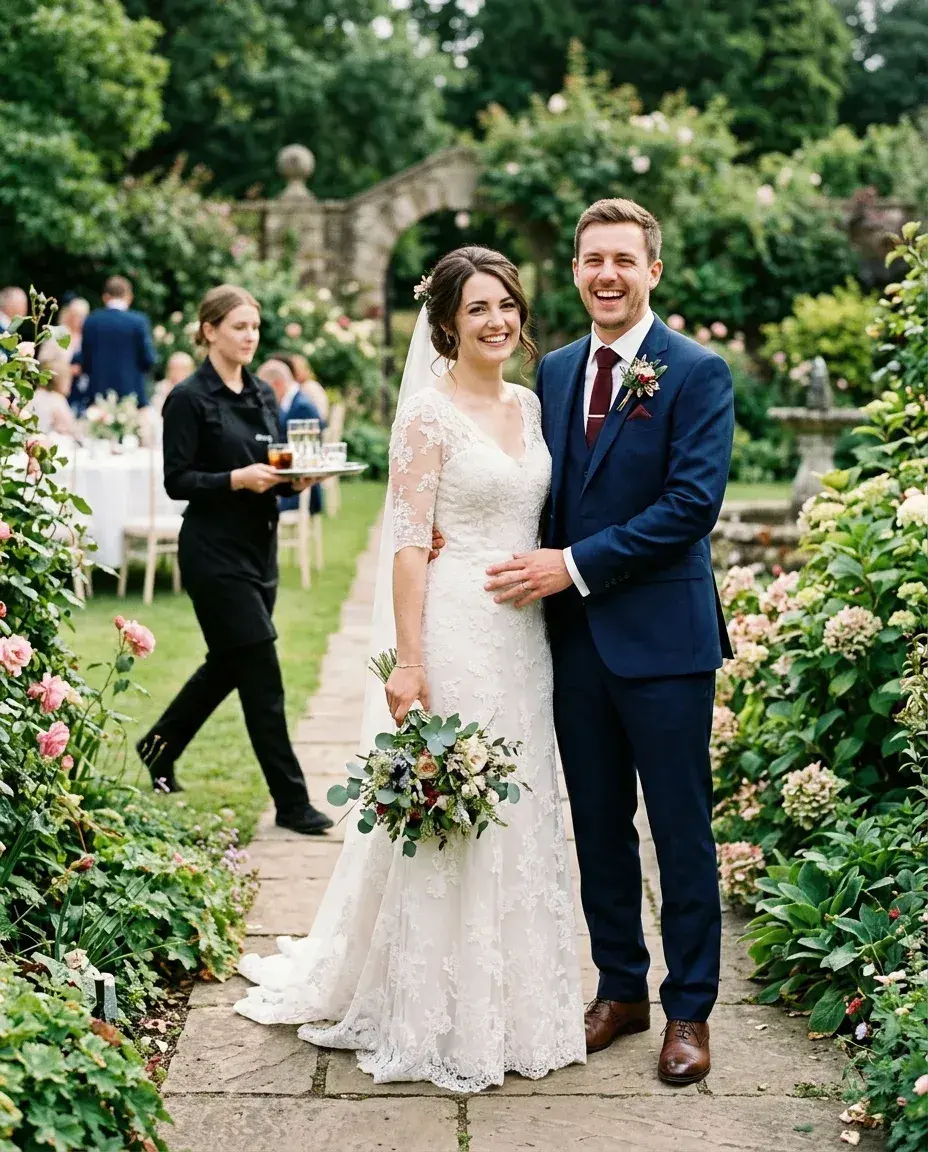
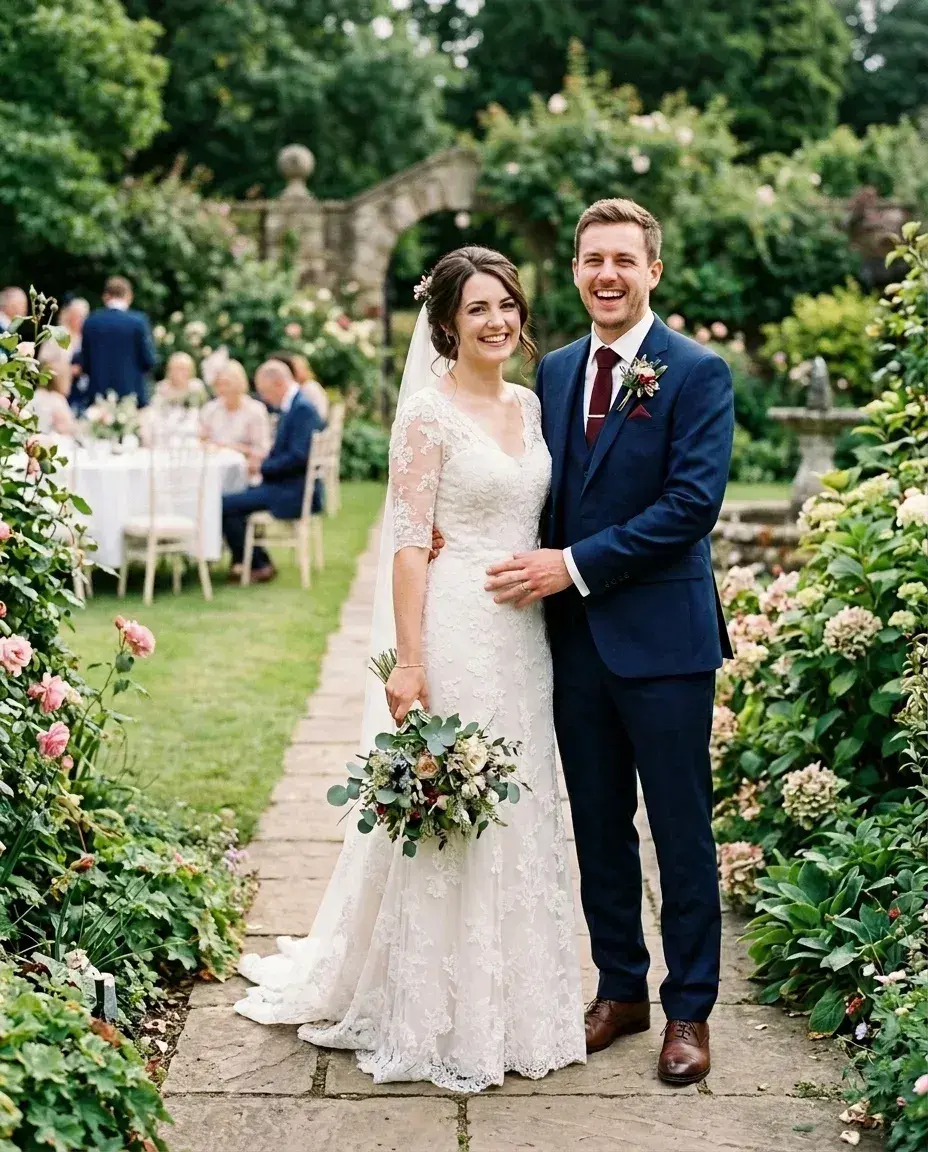 Before → after
Common questions
The photobomber is touching my shoulder in the shot—can it still work?
Do I need to buy a subscription for a single photo?
How fast can I get the fixed photo?
Are there watermarks on my downloaded photos?
What happens to my photo after I upload it?
Can I try the tool before I pay?
Ready to fix your photo?
3 HD edits for $4.99 once · no subscription. Each new generation uses one edit.
or drag & drop it here
JPEG · PNG · WebP · up to 20 MB · zero photo storage