Remove People from Photos
Use our AI to remove people from photos in seconds. Just describe who to erase in plain words. No brushing or masking. Get clean, high-res results online.
or drag & drop it here
JPEG · PNG · WebP · up to 20 MB · zero photo storage
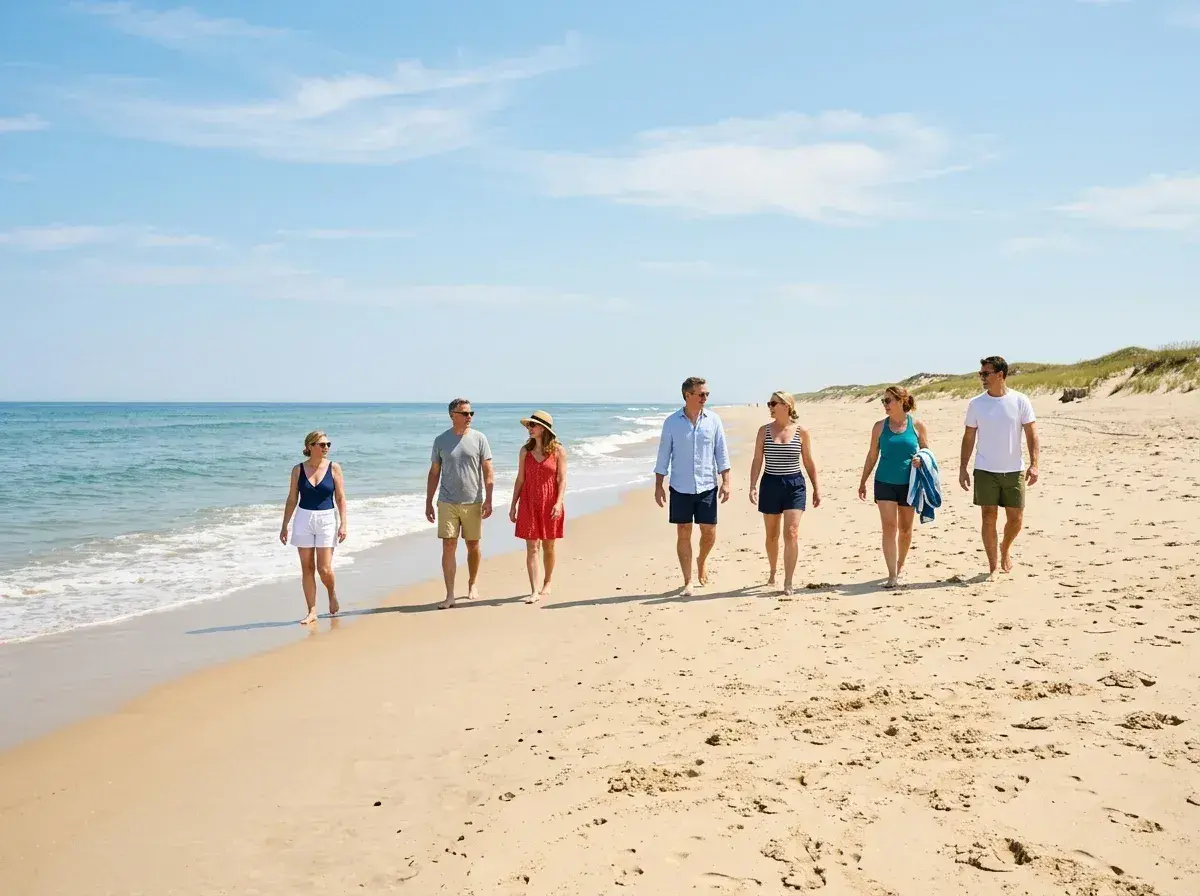
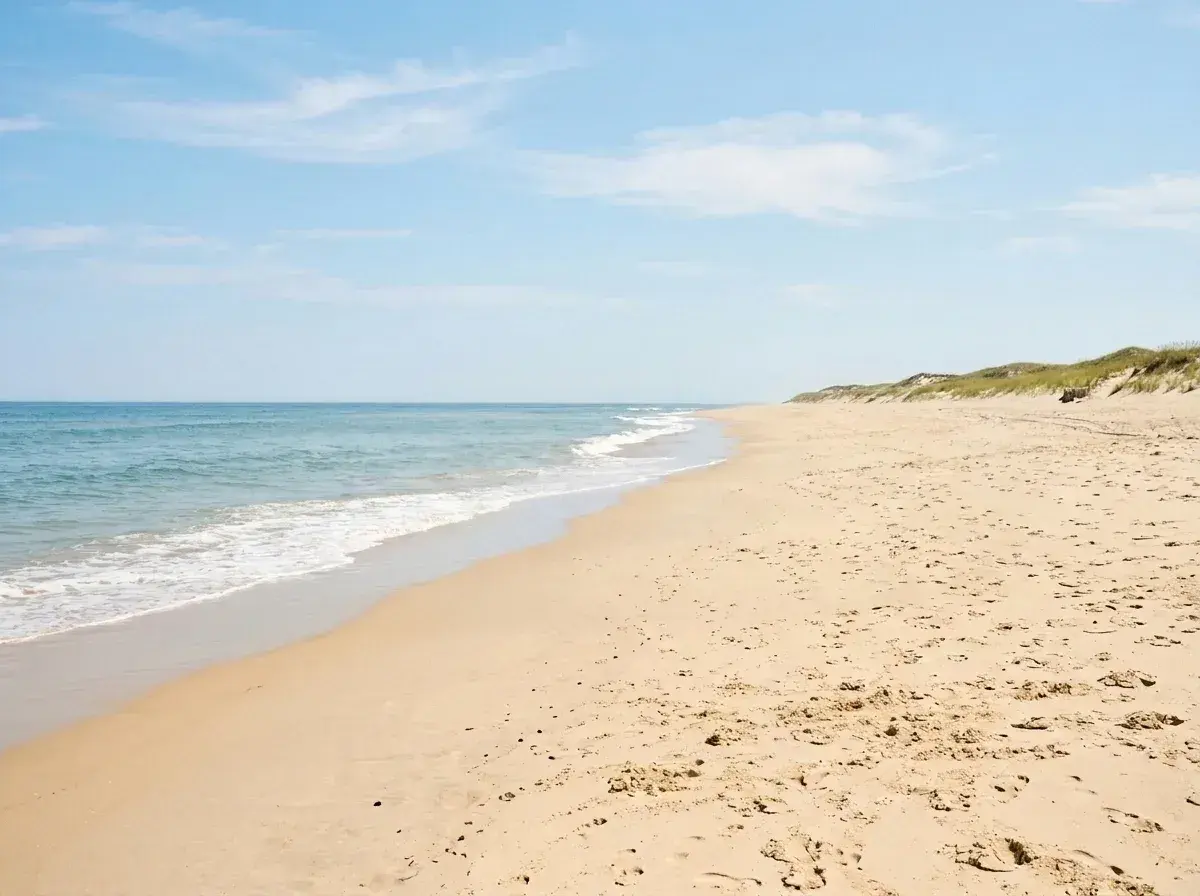 Before → after
Capturing a perfect moment in a public space is nearly impossible. Whether you are at a national park, a busy city square, or a popular landmark, your best shots are often cluttered with strangers. Traditionally, trying to remove people from photos meant spending hours with complex software, carefully tracing outlines and hoping the software could fill the gaps. It was a tedious process that required a level of patience and skill most of us simply don't have.
Our tool changes that by moving the entire process into your browser. You no longer need to install heavy software or learn how to use a digital paintbrush. Instead, you use plain English to tell our AI exactly what you want to change. By simply typing a description of the subjects you want to get rid of, you can clean up your images in under 10 seconds. It is a streamlined, online experience designed for anyone who needs professional-quality results without the professional-level learning curve.
Because our model is built to understand context, it doesn't just cut out shapes; it reconstructs what should have been there in the first place. Whether you are looking to take out a single photobomber or clear an entire group of tourists, the result is a clean, watermark-free image that looks like the distractions were never there. From quick social media snaps to high-resolution memories, we provide the tools to make your photography look exactly how you intended.
This is one situation covered by our main guide, Remove a Person from a Photo — start there if you want the full walkthrough.
Clear Entire Groups with a Single Sentence
The most frustrating part of editing a busy picture is often the sheer number of distractions. Most editors force you to click on every individual person, one by one, which is exhausting when you are trying to remove people from photos of a crowded beach or a busy street. Our AI simplifies this by allowing you to address groups collectively. You can use natural phrases like 'everyone behind us' or 'the three people on the left' to clear the frame in one go.
This approach is significantly faster than manual masking. Instead of worrying about the precise edges of a jacket or the gap between two people's arms, you just describe the target. Our model identifies the subjects based on your words and handles the complex geometry of the extraction. This makes it just as easy to delete five people as it is to delete one, allowing you to focus on the final composition rather than the mechanics of the edit.
Handling Overlapping Subjects and Complex Backgrounds
One of the biggest challenges in photo editing is when the people you want to erase are standing in front of each other or partially blocking important parts of the scenery. When subjects overlap, a standard editor might struggle to figure out where one person ends and another begins. Our AI is trained to understand depth and human form, allowing it to intelligently separate overlapping figures and reconstruct the background behind them.
When you ask the tool to get rid of a group, it doesn't just leave a hole. It looks at the surrounding pixels—the texture of the pavement, the pattern of a brick wall, or the gradient of a sunset—and rebuilds that space. Even if the people you are removing were covering a significant portion of the background, the AI uses the remaining context of the shot to create a seamless fill. This ensures that even after a major cleanup, the image remains believable and free of digital artifacts.
Understanding the Limits of Crowd Removal
While our AI is powerful, it is important to understand the physical limits of what can be reconstructed. To successfully take out someone from a picture, the AI needs enough surrounding information to 'guess' what was behind them. If you have a photo where a dense crowd covers 90% of the frame, there may not be enough visible background for the model to reference. In these cases, the AI might struggle to create a perfectly sharp reconstruction because it has no visual data for the floor or the walls behind the crowd.
The best results come from images where the people are distinct distractions rather than the entire substance of the shot. If you can see the ground, the sky, or the architecture around the people you want to delete, the AI will have a much easier time. We believe in being honest about these limits: our tool is an incredible time-saver for cleaning up busy scenes, but it cannot invent an entire landscape from scratch if the original snap was completely obscured by a wall of people.
Privacy-First Processing and Professional Plans
We take your privacy seriously. Unlike other platforms, we never store your photos. When you upload an image to be edited, it is processed entirely in memory. The moment the edited version is returned to your browser, the original and the result are gone from our systems. We do not retain your data, we do not write it to disk, and we never use your personal photos to train our AI models. Your images remain yours alone.
To suit different needs, we offer three straightforward tiers. The Starter plan at $9/mo is perfect for casual use with 20 edits at standard resolution. For those needing more, the Plus plan at $19/mo offers 50 edits at high resolution. Professional users can opt for the Studio plan at $49/mo, which includes 100 edits, priority support, and 4K output for the highest possible quality. All plans allow you to cancel with a single click, and your unused edits refresh every month. You can even test the tool for free using our sample photos on the homepage to see the AI in action before choosing a plan.
More real results
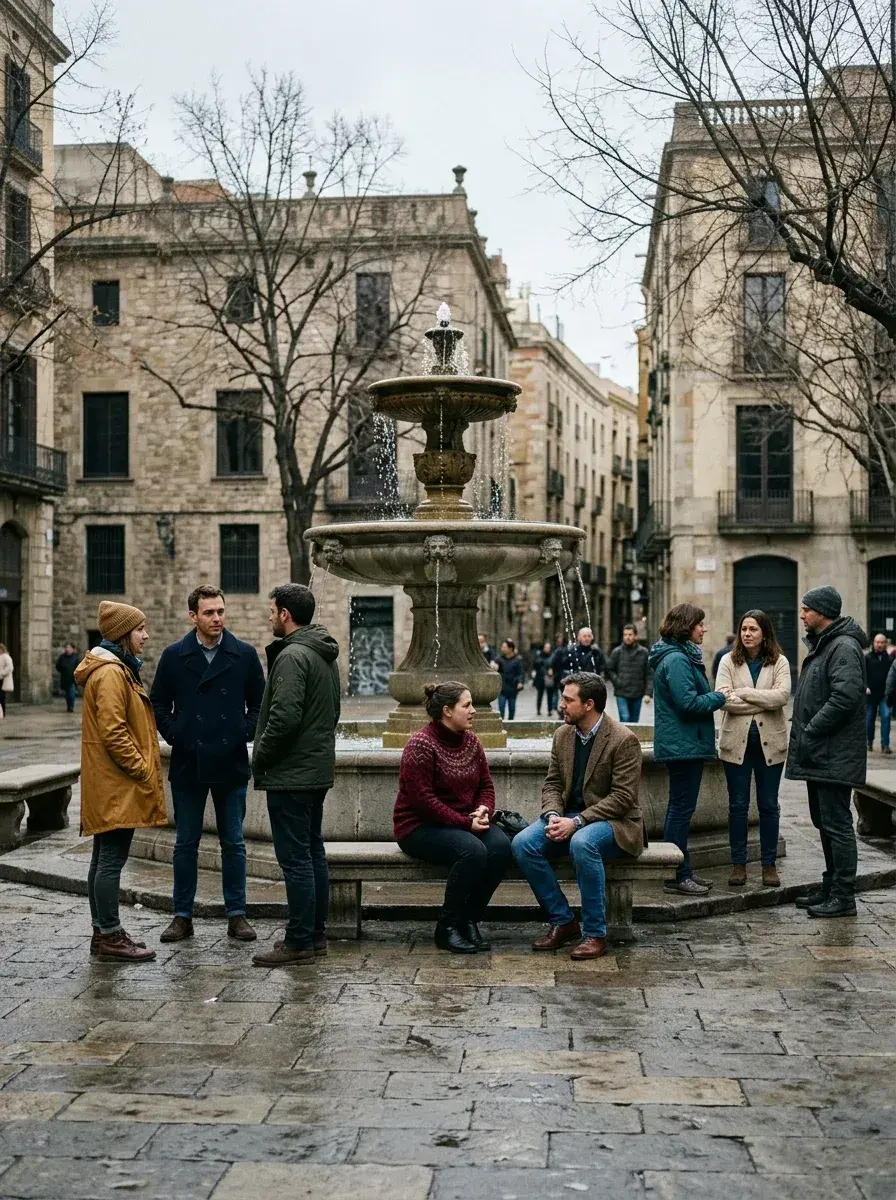
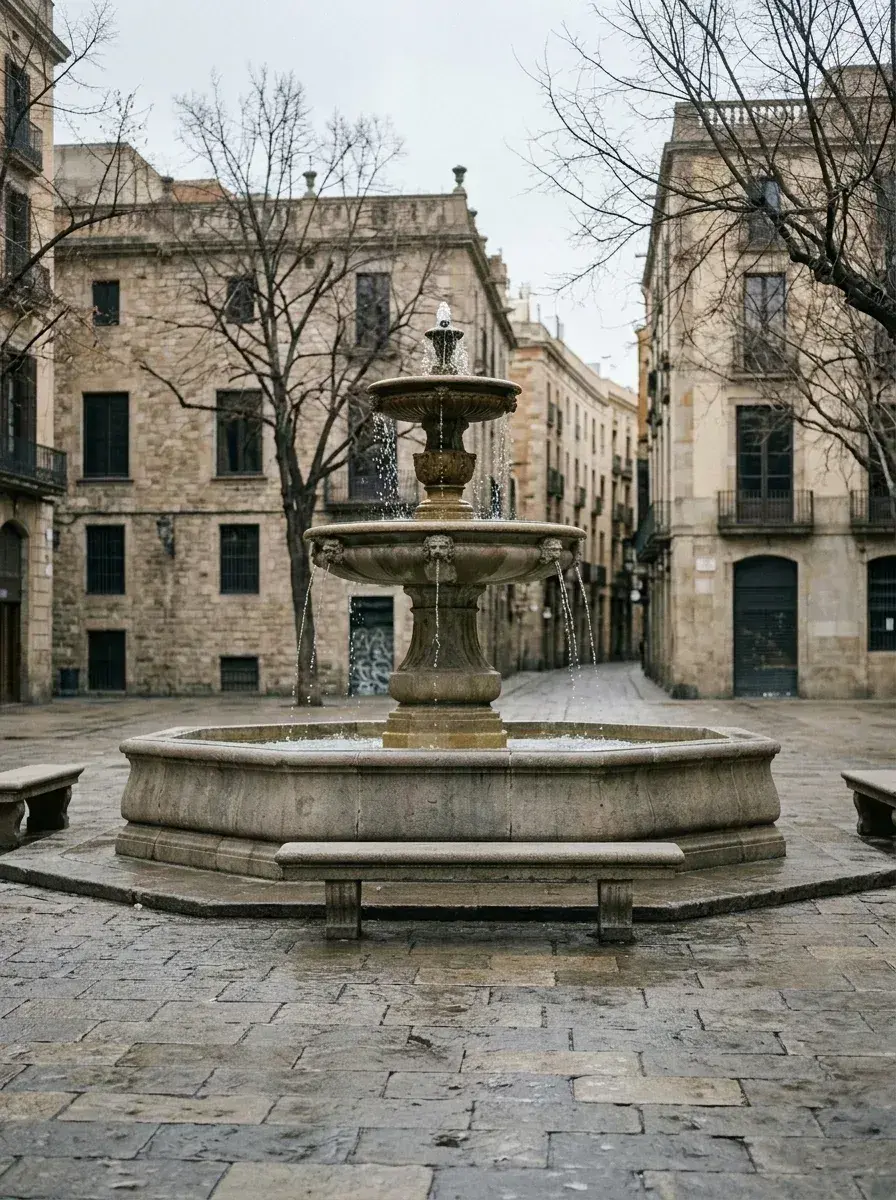 Before → after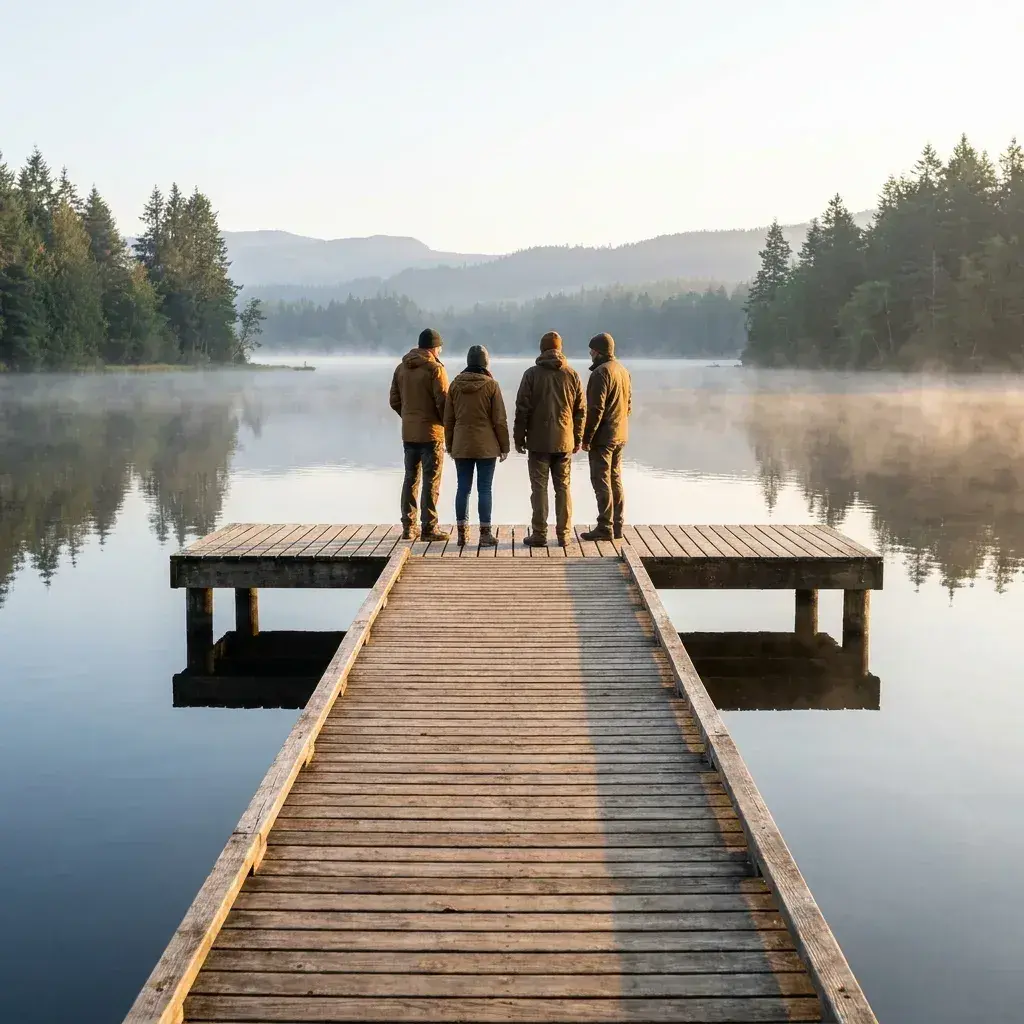
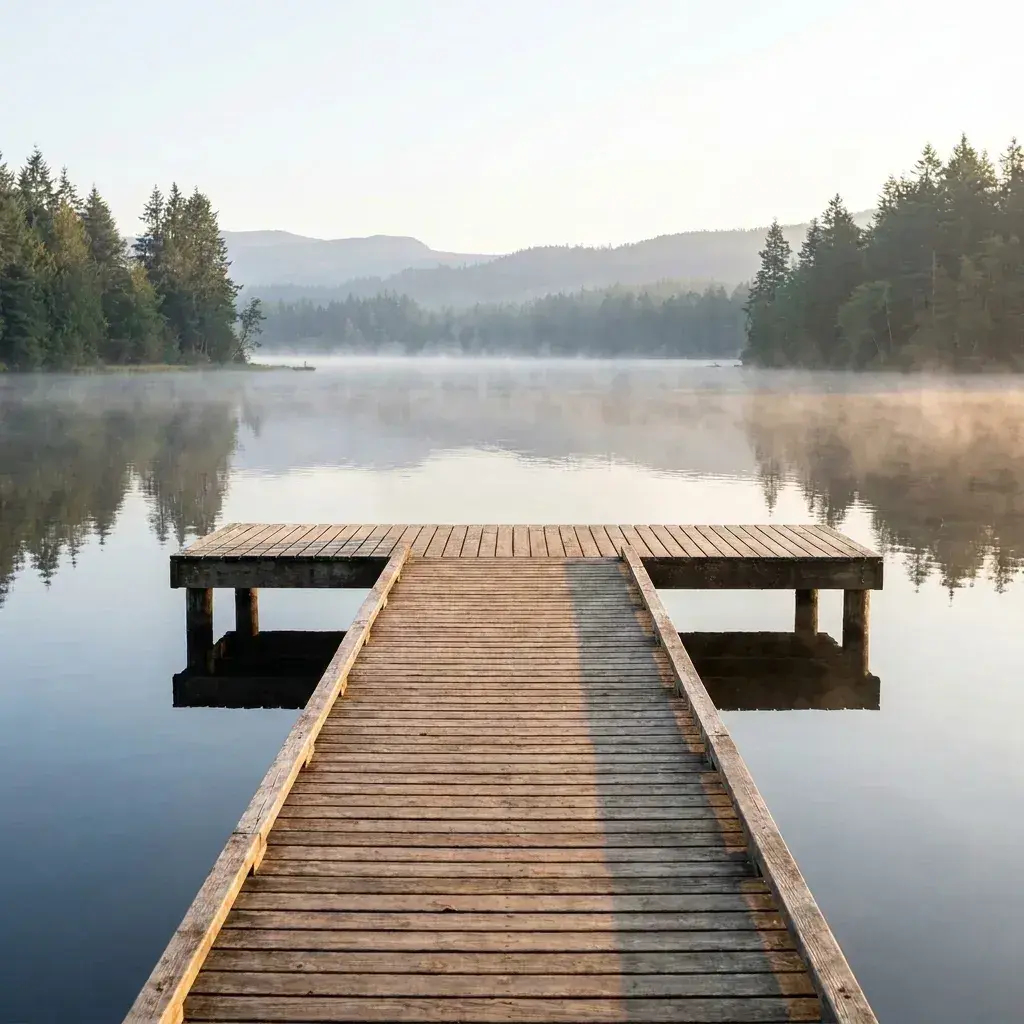 Before → after
Common questions
Can I remove several people in one edit, or do I have to do them one at a time?
What happens if the people I want to erase are overlapping each other?
Is there a limit to how many people the AI can remove from one photo?
Do I need to use a brush or selection tool to highlight the people?
How long does it take to process a picture?
Are my photos stored on your servers?
Fix your photo in the next minute
Plans from $9/month · cancel anytime
or drag & drop it here
JPEG · PNG · WebP · up to 20 MB · zero photo storage