Remove People from Christmas Photos
Remove people from christmas photos in seconds using AI. Just describe who to erase in plain words. No manual brushing needed. Try it in your browser.
3 HD edits for $4.99 once · no subscription
or drag & drop it here
JPEG · PNG · WebP · up to 20 MB · zero photo storage
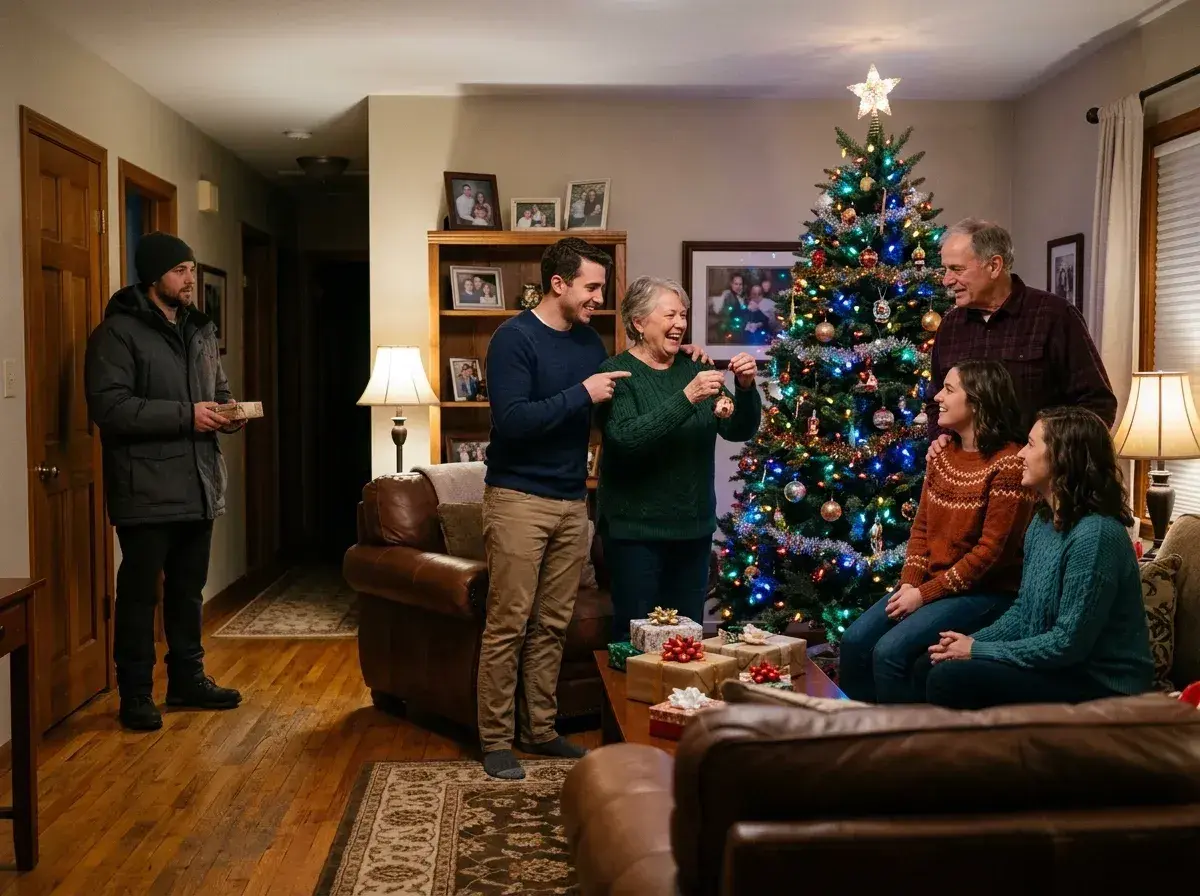
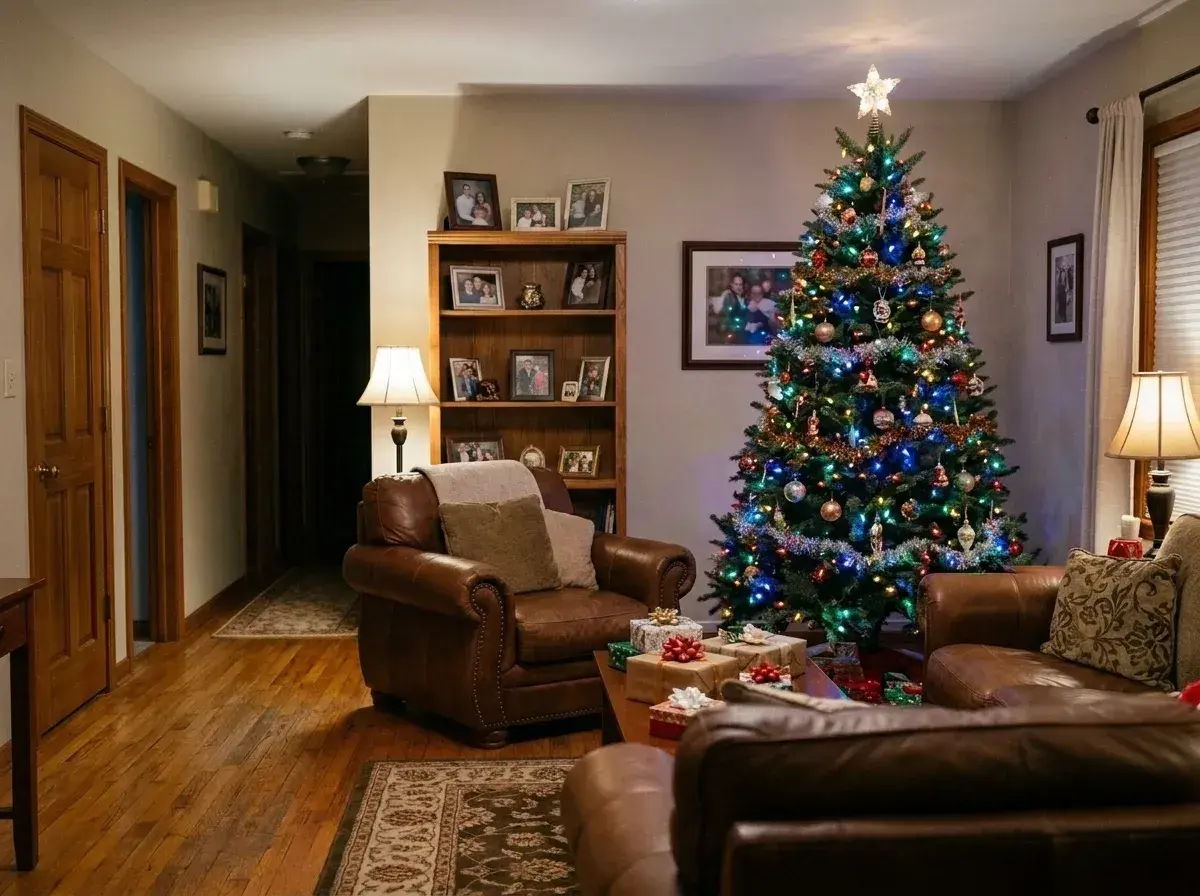 Before → after
Holiday gatherings are wonderful, chaotic, and notoriously hard to capture cleanly. You finally get all the kids looking at the camera, the lighting near the Christmas tree looks perfect, and everyone is actually smiling. Then you look closely at the finished snapshot and spot the issue: an extra person standing right in the frame, a relative's new ex leaning into the background, or a stranger walking past the window in a neon jacket.
When you have a family shot with one person too many in it, you do not need to throw the image away or settle for an awkward crop that cuts out half the pine tree. Our AI tool lets you edit holiday snapshots online directly in your browser without any photo editing expertise.
This is one situation the tool handles. Remove people from any photo — upload yours and describe who should go.
Clean Up Holiday Memories Without Complex Editing Tools
Traditional image editing software requires you to zoom in, trace detailed outlines with a selection wand, or painstakingly brush over coats, hair, and limbs. If someone is standing in front of patterned wrapping paper, shiny tinsel, or glowing tree lights, manually cloning the background is almost impossible without leaving noticeable smudges.
Our tool replaces complex manual selection with plain language. To remove people from christmas photos, you simply type a short description of whoever needs to go. Type "the guy standing behind the sofa" or "the stranger walking near the fireplace," and our AI identifies the target, erases them, and rebuilds the missing background cleanly.
Seamless Background Reconstruction for Trees, Lights, and Decor
Holiday settings present tricky background details. Christmas trees have intricate needles, glowing fairy lights create soft bokeh, and living rooms are filled with gift boxes and mantle decorations. When you take out an unwanted guest or photobomber, the space behind them must look completely authentic.
Our model understands texture, lighting, and geometric structure. When it deletes a person standing beside the tree, it automatically generates matching pine branches, extends surrounding holiday lights, and continues wall patterns naturally. Processing time varies with the photo and current demand. Review the result for natural-looking details before you download it.
Fast, Private, and Watermark-Free Results
We prioritize your privacy, especially with personal family images. Your pictures are processed purely in memory and returned immediately. Nothing is ever saved to disk, retained on our servers, or used to train AI models. Once your edited photo is generated, the original data vanishes from our processing environment.
Every completed image downloads cleanly without added watermarks. You can test how the editor handles sample pictures directly on our homepage for free without logging in. When you are ready to process your own holiday uploads, you can choose a one-time edit pack or a subscription.
Choose a One-Time Pack or a Plan
If you only need to clean up a handful of December family shots, you are never locked into long contracts. You can join for a single month and cancel in one click anytime from your account settings.
Our Starter plan is $9 per month for 20 edits at standard 1k resolution. The Plus plan is $19 per month for 50 edits at high 2k resolution. For maximum clarity, the Studio plan is $49 per month for 100 edits and includes max 4k resolution export. Unused monthly edits refresh at the start of each billing cycle, giving you full control over your editing budget.
More real results
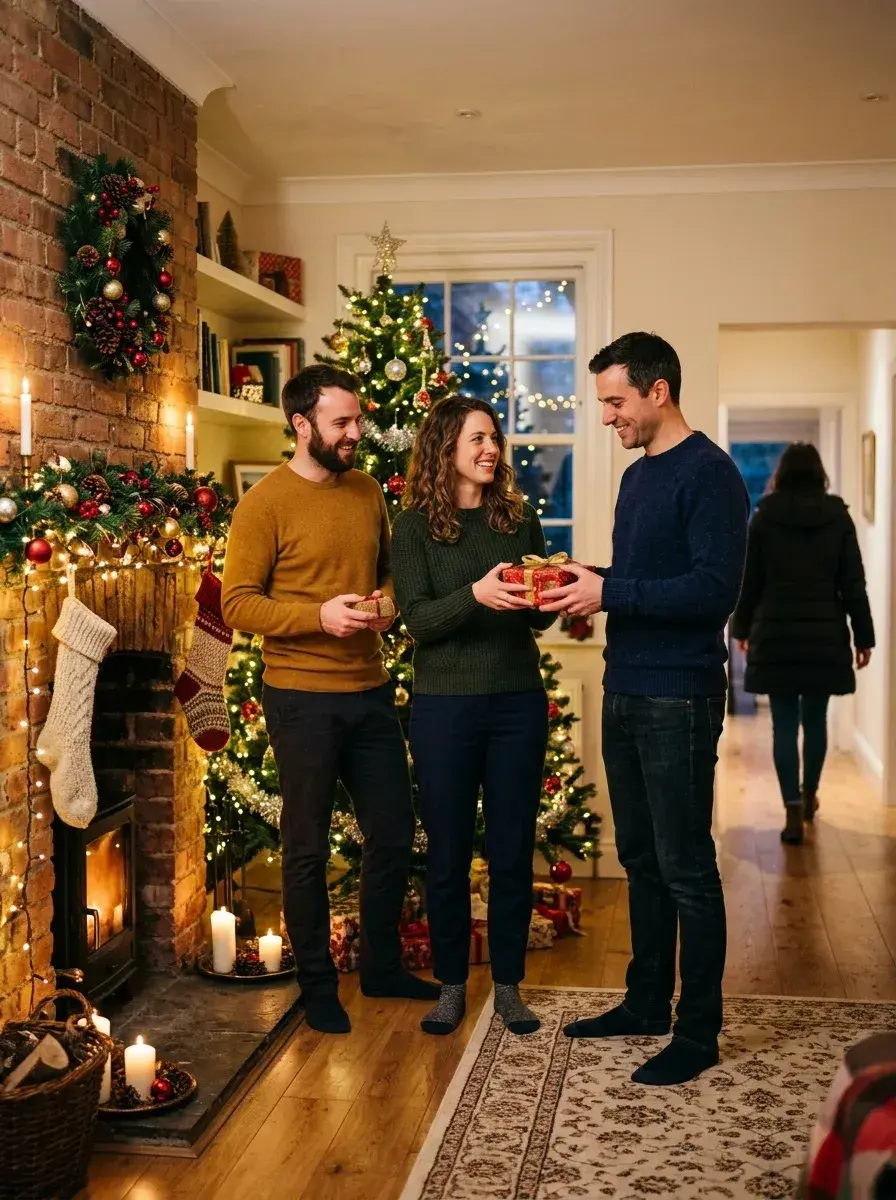
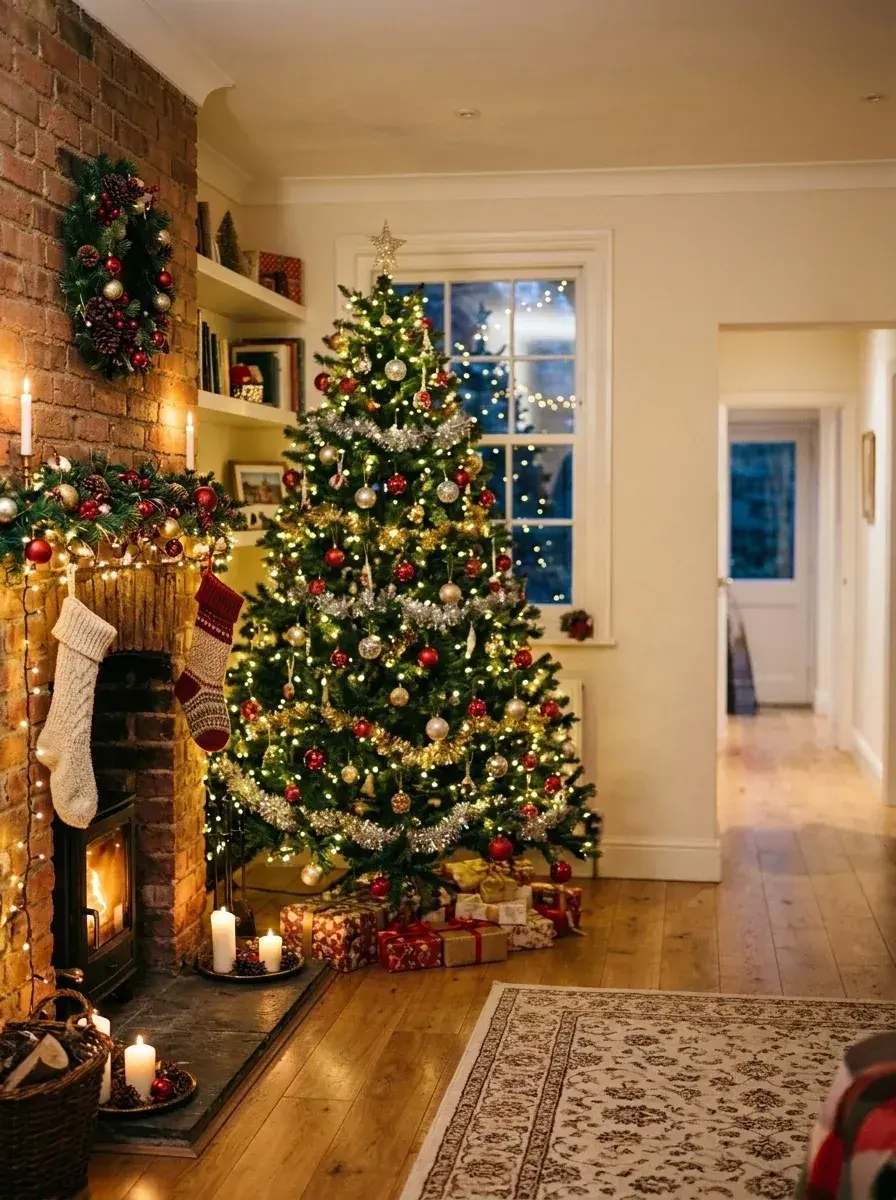 Before → after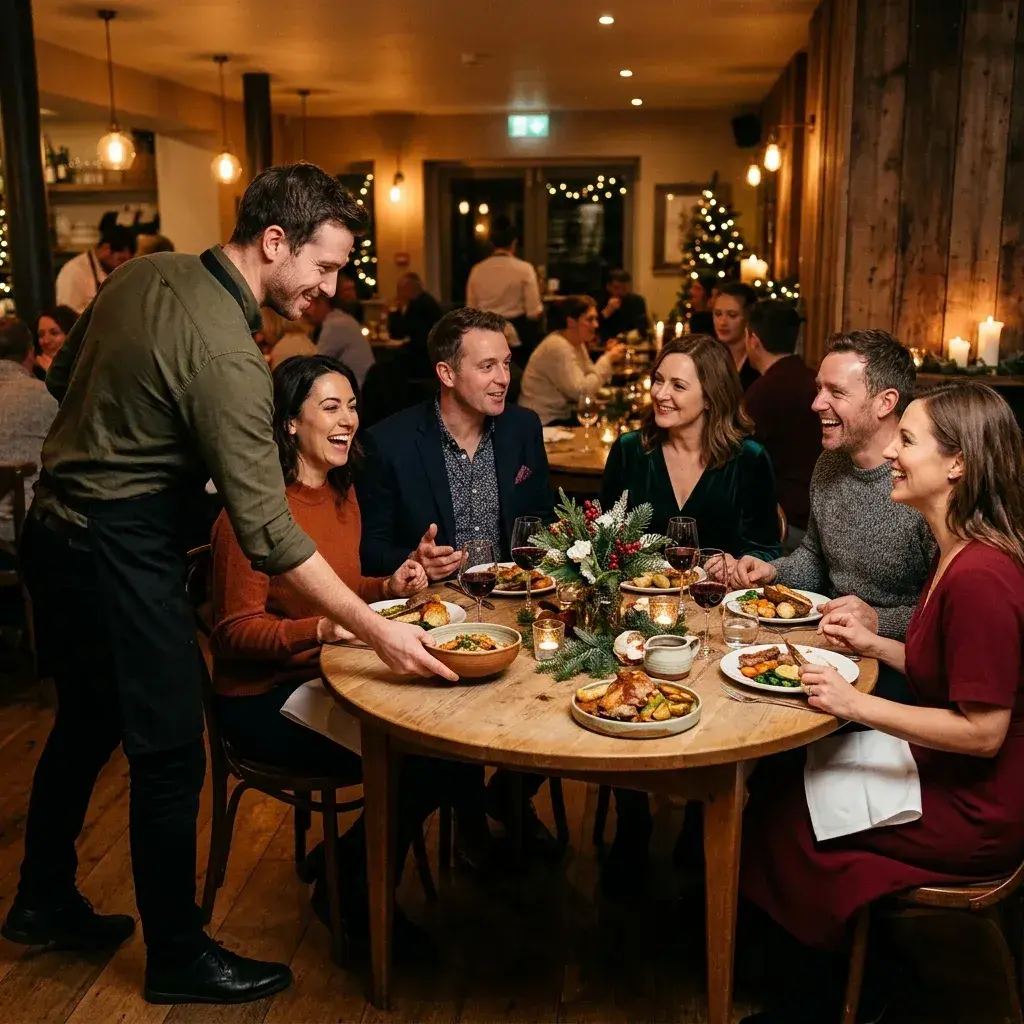
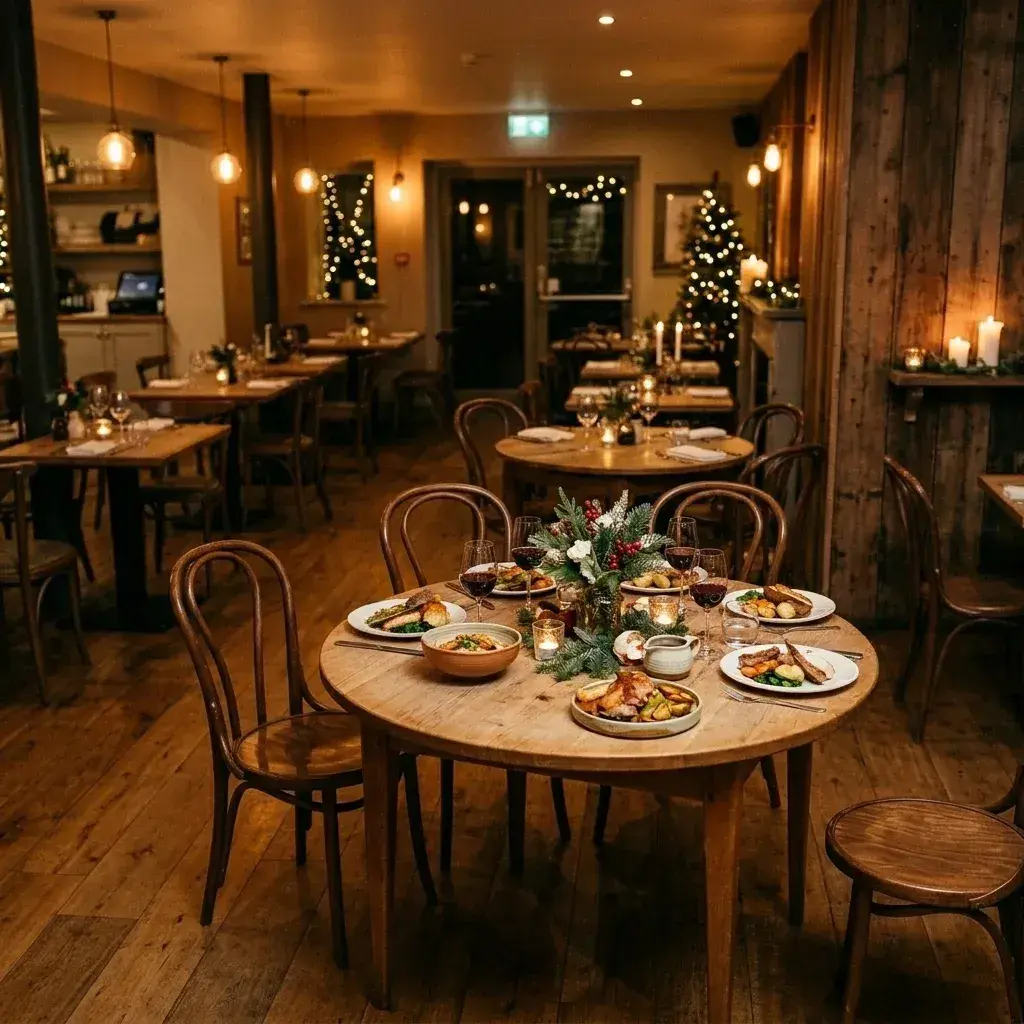 Before → after
Common questions
Can it remove someone standing right next to the tree?
Will the fairy lights and decorations still look right afterwards?
I only need this for a few photos this December — do I have to keep paying?
Do I need to brush or highlight the extra person manually?
Are my holiday pictures stored on your servers?
Can I test the tool before uploading my own photos?
Ready to fix your photo?
3 HD edits for $4.99 once · no subscription. Each new generation uses one edit.
or drag & drop it here
JPEG · PNG · WebP · up to 20 MB · zero photo storage