Remove a person from an Amsterdam photo
Remove a person from an Amsterdam photo. See the before-and-after result and a practical editing instruction. Upload your photo; no subscription needed.
Edit your own photo · 3 HD edits for $4.99 once · no subscription
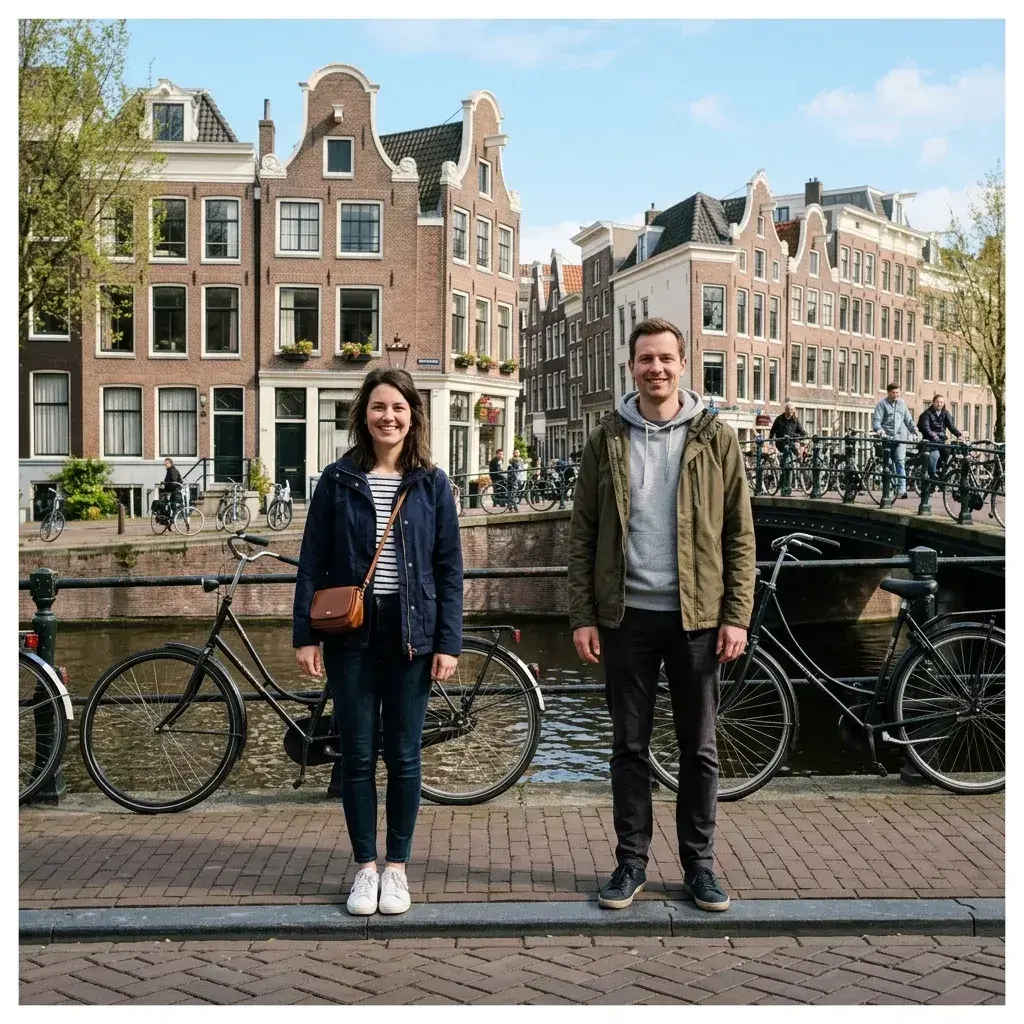
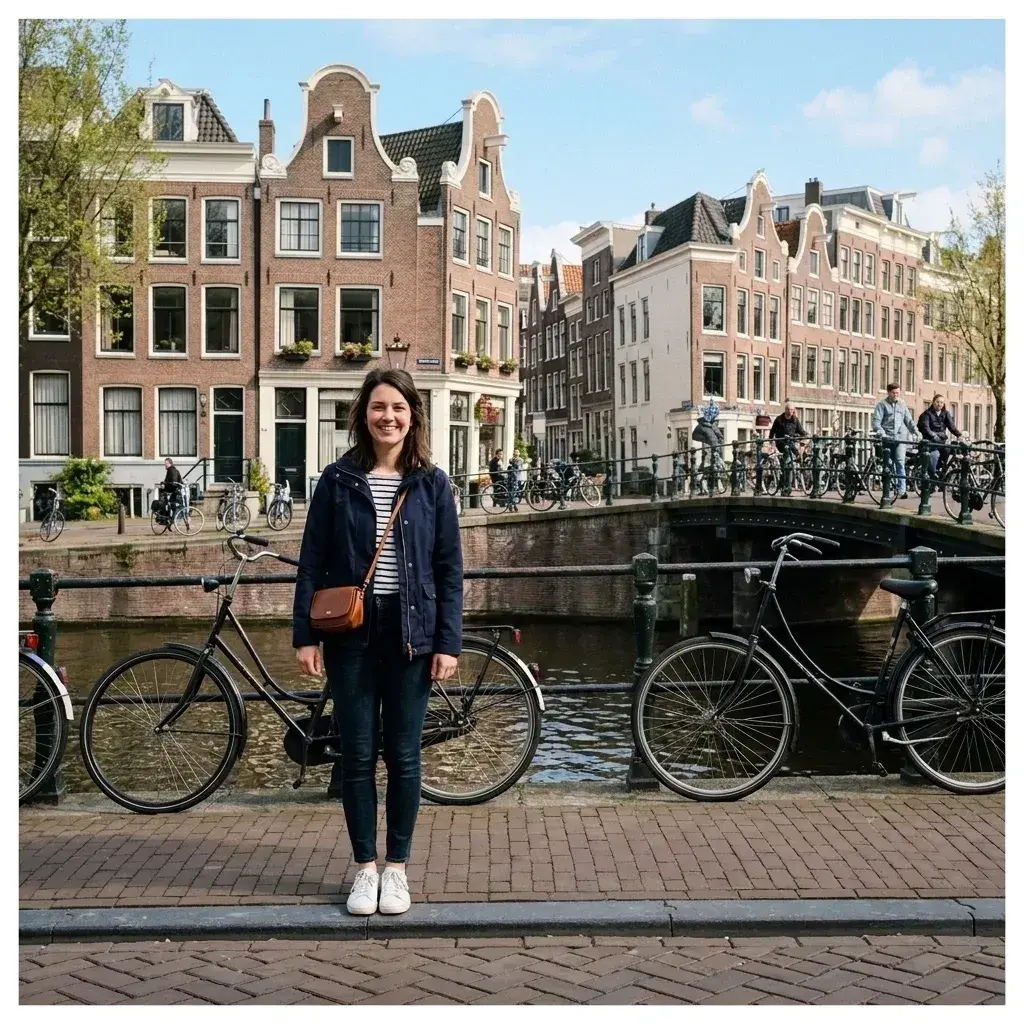 Before → after
Illustrative sample photo with an AI-edited result. Compare both images before editing your own.
Two people stand in front of bicycles and canal-side buildings. The result removes the man on the right and leaves the woman in the foreground.
This is an illustrative sample with a prepared AI-edited result. Use the comparison to judge this kind of removal before buying an edit for your own photograph. Your result will depend on the scene and how much of it is hidden.
An instruction for a similar photo
“Remove the man standing on the right.”
Adapt the description to your photo. Name who should stay as well as who should go.
What changes in this example
The edit exposes more of the bicycles and railing. Inspect thin wheel spokes and overlapping bars, then compare the remaining person with the original at full size.
For your own photo, upload the original JPEG, PNG or WebP and describe who should go. The AI generates a replacement for the area they covered. Review the result before downloading, especially where someone overlaps a person or object you want to keep.
Tips for this kind of shot
- Name the man on the right, and say to keep the woman on the left. Avoid a broad instruction to remove all people if you want a solo portrait.
- Use the original photo rather than a screenshot or a heavily compressed copy. Small, sharp details give you a better basis for checking the result.
- One generation uses one edit, even when it removes several people. A revised instruction starts another paid generation, so check your description before running it.
Do this to your own photo
3 HD edits for $4.99 once · no subscription. Each new generation uses one edit.
or drag & drop it here
JPEG · PNG · WebP · up to 20 MB · zero photo storage