Remove People from Hiking Photos
Remove people from hiking photos online. Describe the hikers to remove in plain words, see before-and-after examples, then edit your own photo.
3 HD edits for $4.99 once · no subscription
or drag & drop it here
JPEG · PNG · WebP · up to 20 MB · zero photo storage
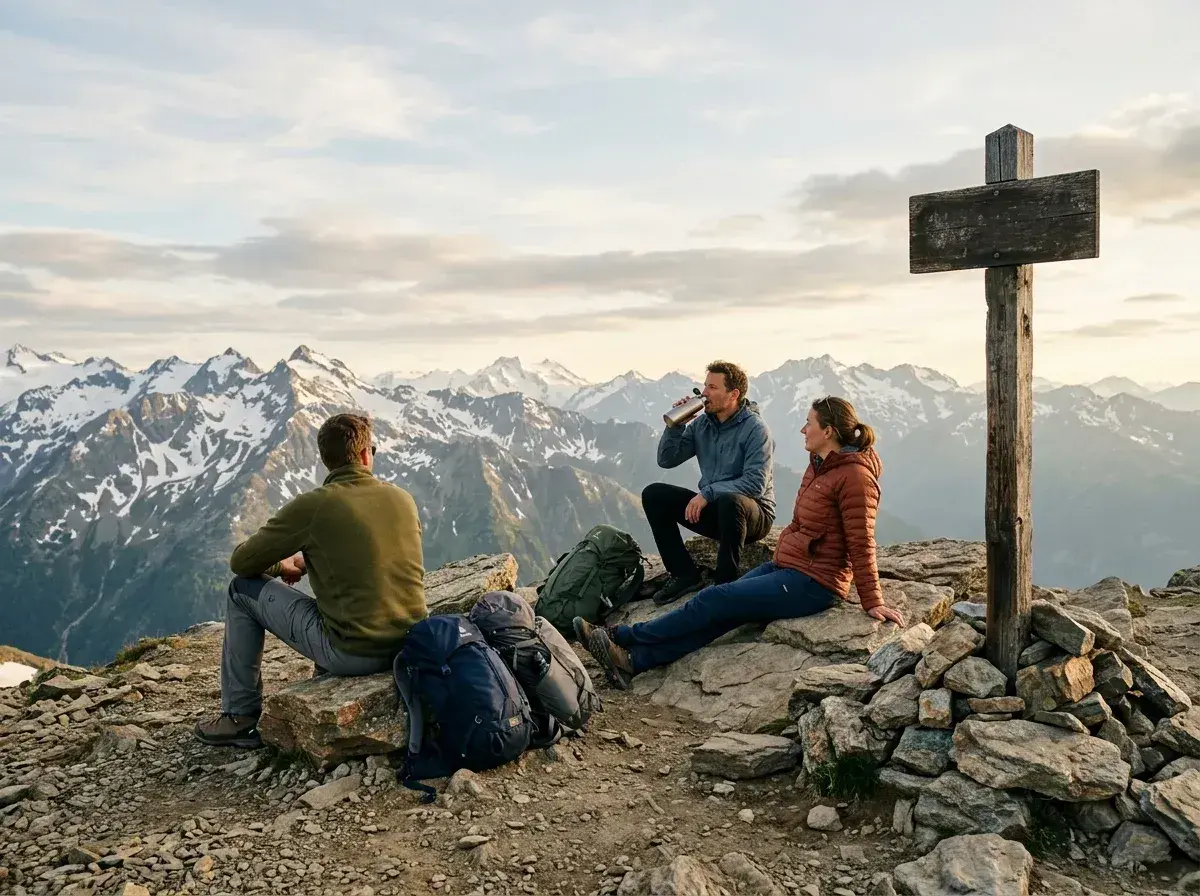
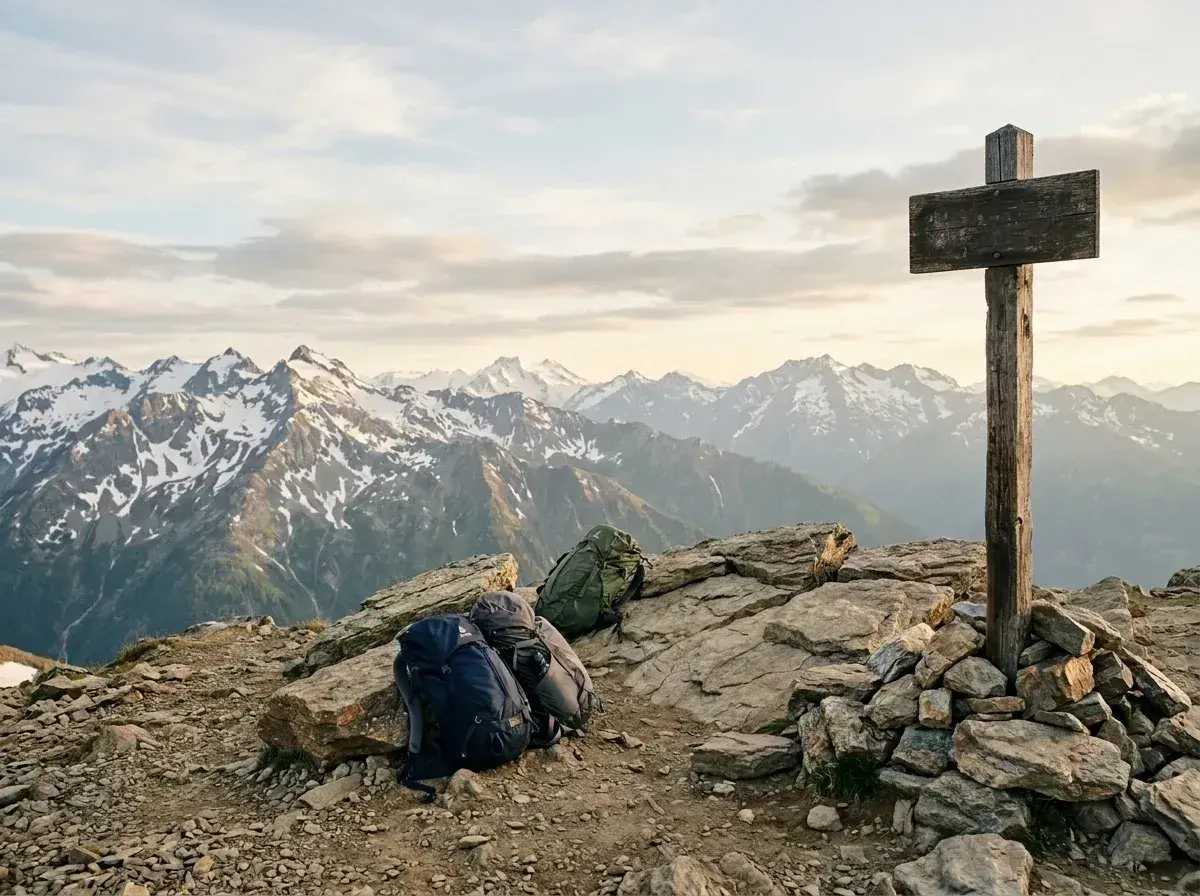 Before → after
You hiked five miles before sunrise, reached the ridge line just as the golden light hit the granite peak, and snapped what should have been a pristine wilderness shot. But when you look closely at your picture, three hikers in bright neon windbreakers are standing right on the precipice, and another group is taking a break on the rocks behind you. Crowded summits, busy overlook platforms, and clogged waterfall trails often turn isolated nature shots into busy group portraits.
With our tool, you can remove people from hiking photos online directly in your browser. There is no need to install complex desktop software, draw precise masks with a mouse, or carefully brush over every tiny figure on a distant trail. Plain text is the entire interface.
Simply upload your image and type who you want to delete—such as "the man sitting on the rock" or "everyone on the trail behind us." Our AI erases those unwanted strangers and rebuilds the natural background in under ten seconds.
This is one situation the tool handles. Remove people from any photo — upload yours and describe who should go.
Keep Your Hiking Partner While Erasing Strangers
One of the biggest challenges with outdoor photos at popular destinations is isolating your group from everyone else taking in the view. You want a great snap of your partner standing near the edge of a scenic canyon, but four other tourists are hovering right beside them in the frame.
Because our model understands plain language descriptions, you do not have to settle for keeping the crowd or accidentally wiping out your companion. You can specify exactly who stays and who goes. Phrases like "keep the woman in the green jacket and take out the person standing behind her" give you precise control. The tool identifies your trail buddy, isolates the stranger standing nearby, and removes them without distorting your partner.
Seamless Background Reconstruction for Rock, Forest, and Water
Natural environments offer rich, complex textures like jagged granite faces, dense pine needles, tumbling waterfalls, and reflective alpine lakes. Manual editing tools often smudge these organic elements, leaving behind obvious blurry patches where someone used to stand.
Our AI excels at filling in natural landscapes. When you get rid of someone standing near a cascading river or resting against an old oak tree, the model analyzes the surrounding foliage, wood grain, or flowing water. It generates matching textures to fill the void, making it look as though the trail was entirely empty when you took the shot.
Clean Up Wide Landscapes and Distant Switchbacks
Hike far enough up a pass and you will likely capture sweeping wide-angle shots. In these grand landscape images, people often appear as tiny dots strung out across distant switchbacks or resting on far-off ridges. Even small figures can break the sense of wilderness in a expansive mountain shot.
You can easily erase those small background figures in wide panoramic photos. Simply describe where they are—like "the hikers on the upper zigzag path"—and the AI will locate and take out those small distractions. The result is an unspoiled wilderness vista that captures the solitary feeling of the trail.
More real results
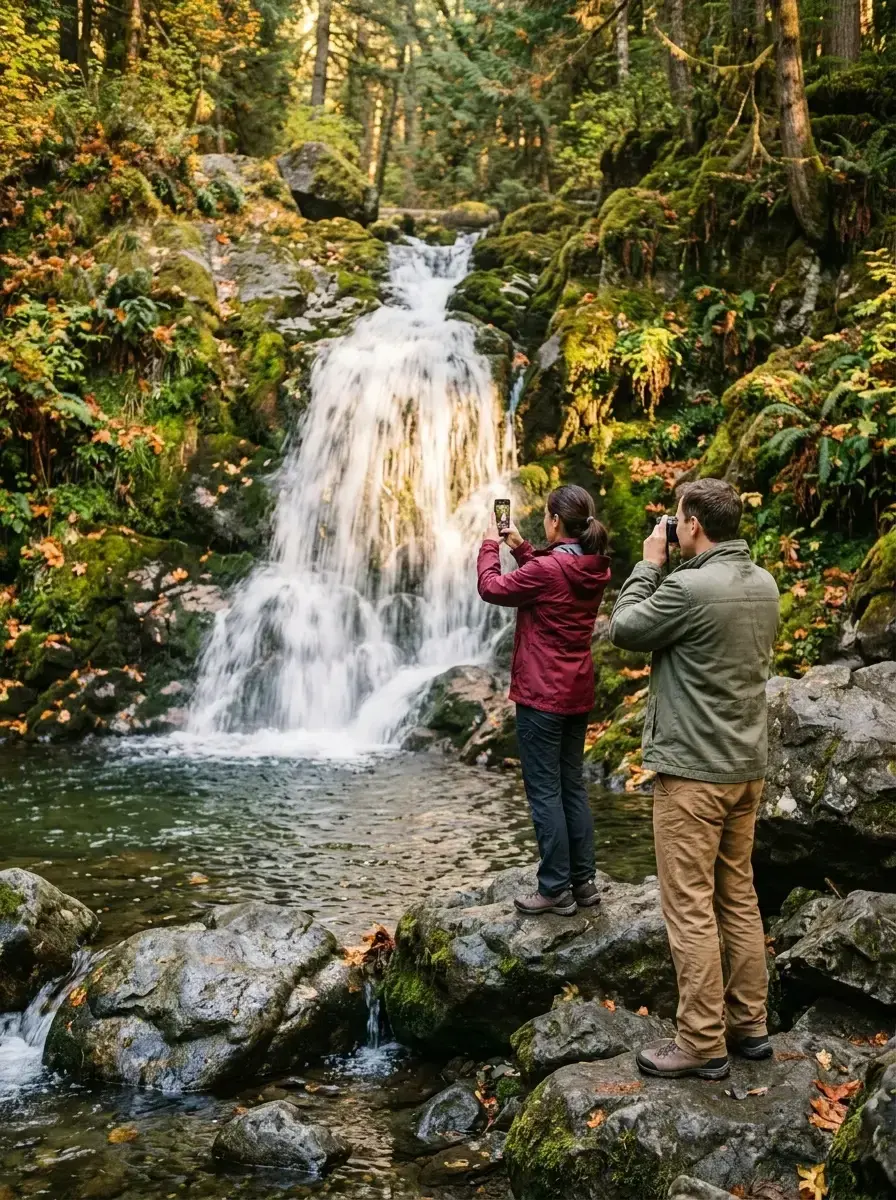
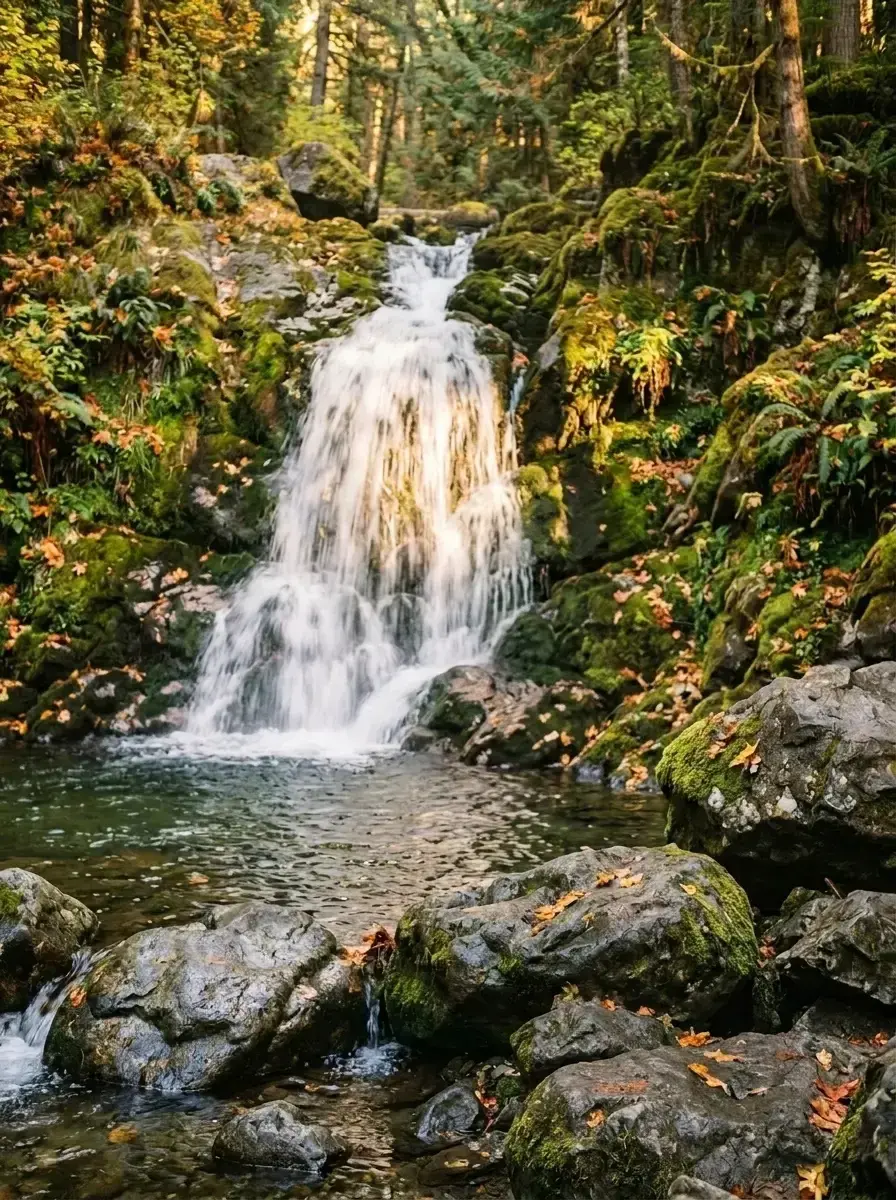 Before → after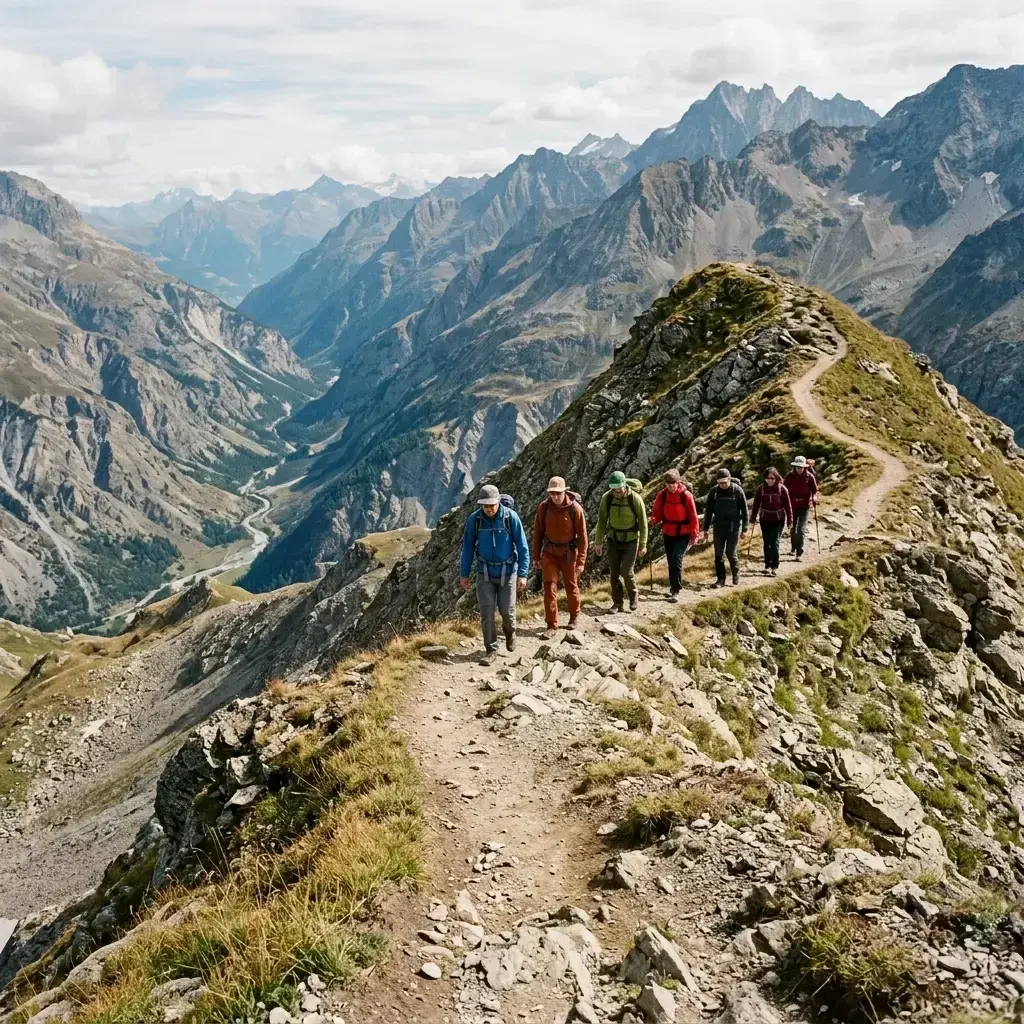
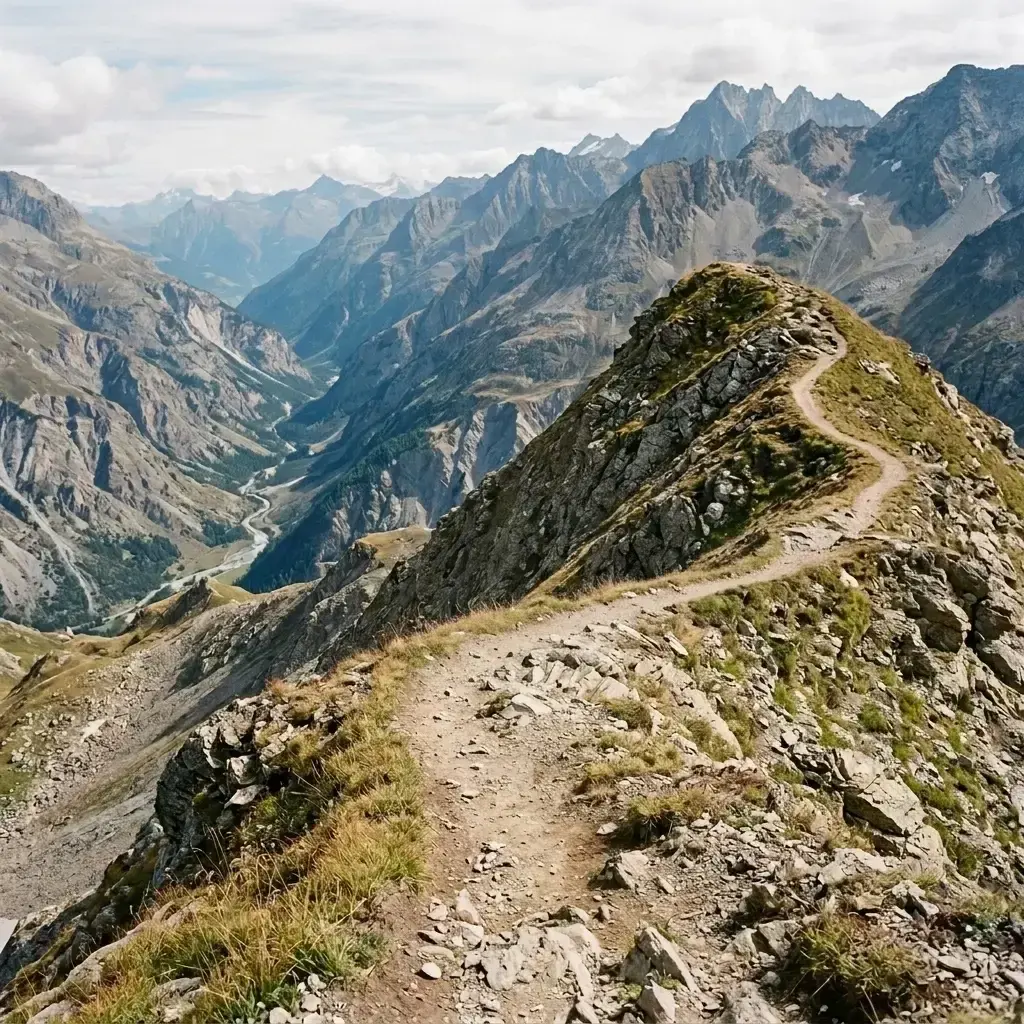 Before → after
Common questions
Can it keep my hiking partner and remove everyone else?
How well does it rebuild natural textures like rock and forest?
Does it work on wide landscape shots where people are small?
Do I need to install anything to use this tool?
What happens to my uploaded hiking pictures?
Can I edit photos for free before picking a plan?
Ready to fix your photo?
3 HD edits for $4.99 once · no subscription. Each new generation uses one edit.
or drag & drop it here
JPEG · PNG · WebP · up to 20 MB · zero photo storage