Google Photos Magic Eraser Alternative for Removing People
Magic Eraser left a visible patch? Describe who to remove in plain words. Use our browser editor; paid HD edits have no watermark and need no mask.
3 HD edits for $4.99 once · no subscription
or drag & drop it here
JPEG · PNG · WebP · up to 20 MB · zero photo storage
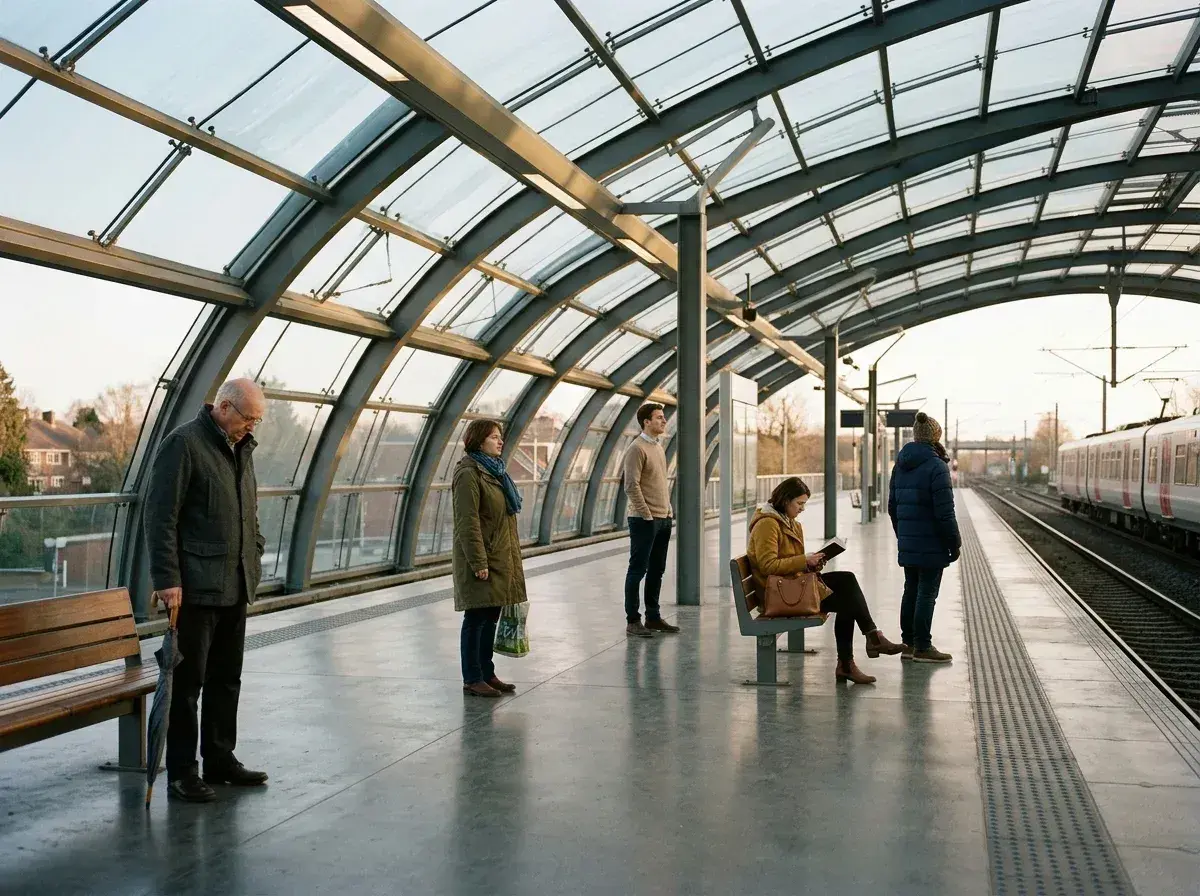
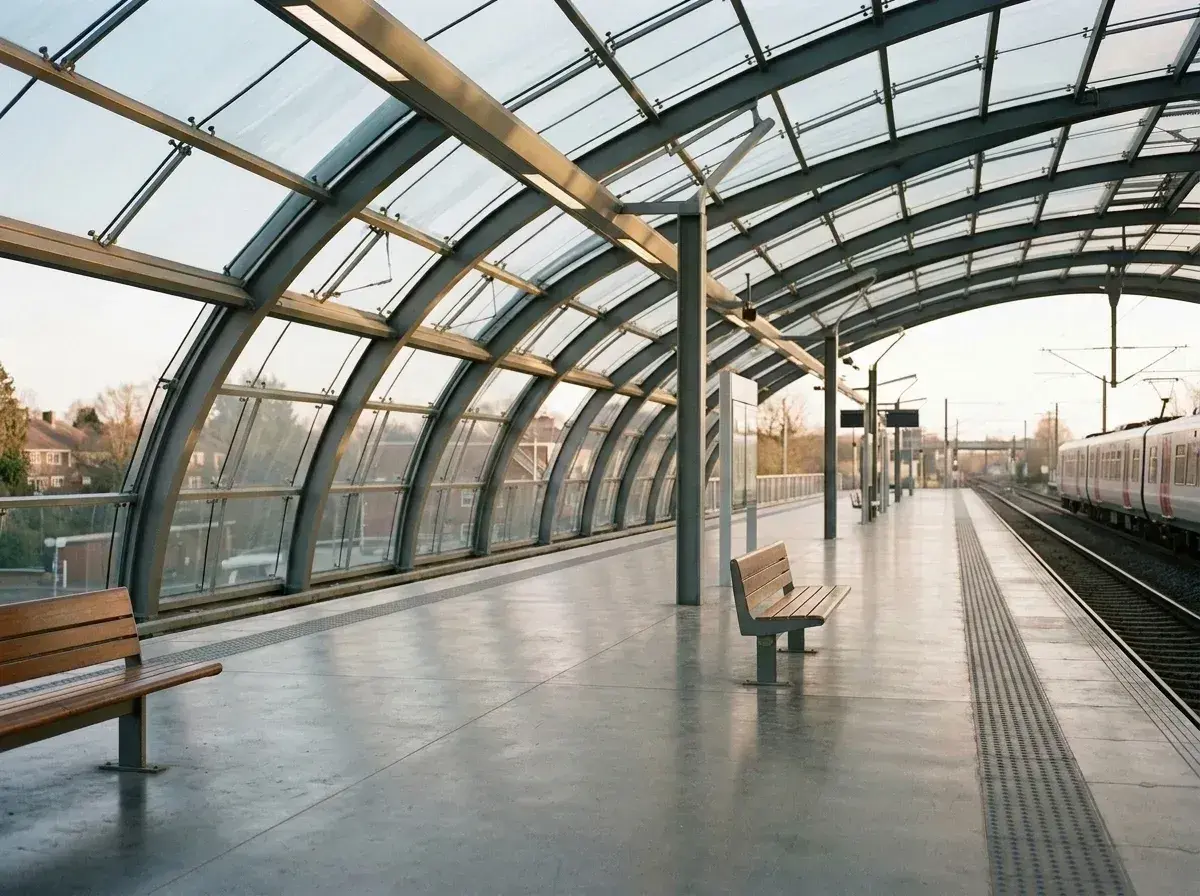 Before → after
You circled the strangers, waited a second, and got a soft grey smear where the railing used to be. Or the fence bent. Or the wall behind them turned into a wash of colour that looks fine on the phone and obviously wrong the moment you open it on anything bigger.
That is not you using it wrong, and no amount of retrying fixes it. Magic Eraser fills the space you marked by copying from the pixels around it. When a person is standing in front of something with structure — a railing, a doorway, a shopfront, a horizon — there is nothing valid to copy, so it invents a smooth average instead. The bigger the person in your frame, the more it has to invent.
removepeople.ai works the other way round. You do not mark anything: you type who should go — "everyone in the background", "the man in the white shirt" — and the AI regenerates the frame with the railing continuing as a railing. A crowd of nine is one instruction and one edit, not nine passes that each smudge what the last one invented. Try it on the sample photos on our homepage before you spend anything.
This is one situation the tool handles. Remove people from any photo — upload yours and describe who should go.
The photo you are holding right now
If Magic Eraser already handled it, you would not be reading this. The photographs that send people looking are always the same three: someone standing in front of architecture, a group rather than a single figure, or a subject close enough to the camera that removing them leaves a hole the size of a doorway.
All three are the same problem seen from different angles — the eraser is being asked to invent more than it can copy. Describing the result instead of marking the area changes what the model is being asked to do: not patch a hole, but render the scene as though those people were never in it.
Side by side
Both remove things from photographs. Where they differ is what happens after the thing is gone.
| removepeople.ai | Google Photos Magic Eraser | |
|---|---|---|
| A whole crowd | One sentence, one edit | One region at a time |
| Behind the person | Rebuilt — railings, doorways, horizons | Filled from nearby pixels |
| How you point at it | Describe them in plain words | Circle, brush or tap |
| Big removals | Handled — the frame is regenerated | Where smearing starts |
| Works on | Any browser, any phone, any age | Google Photos on Android and iPhone |
| Watermark | Never, on any tier | None |
| Download size | HD on the pack, up to 4K on Studio | Phone resolution |
| Cost | $4.99 for three photos, no subscription | Free |
Why a whole crowd is one instruction here
This is the difference that matters most and it is worth being concrete about. Nine tourists in front of a fountain is nine separate operations in an eraser. Pass two samples from an area pass one already invented; pass three samples from both. Errors compound, and by the end the stonework has quietly turned to porridge.
"The tourists in the background, keep the couple in front" is one instruction. The model resolves it once, against the original frame, and rebuilds the fountain as a fountain. It also costs one credit rather than nine — a group photo is priced the same as removing a single person, however many people you name.
A worked example: five people on a station platform
The photograph at the top of this page is a station platform, five people on it, structural columns running behind them at regular intervals.
Marking each person leaves the fill guessing at columns it cannot see, and columns are unforgiving: the eye catches a bent one instantly even when it cannot say what is wrong. Described as a group, the platform comes back with its columns straight, evenly spaced and carrying on behind where the people stood.
Drag the slider on that pair and judge it yourself. Every photograph on this site is a real, unretouched output — no staging, no hand-finishing.
What the $4.99 actually buys
Three photographs, no subscription, no account required until you pay. No watermark on any of them, HD output, and cropping, straightening or re-downloading the result never costs another credit.
Weigh that against the photo itself. Most of the pictures people bring here cannot be retaken — a wedding, a graduation, a trip somewhere they will not return to, the last photograph of someone with a stranger standing in the frame. Three pounds and change to fix one of those is not really a pricing decision.
If you fix photographs often, Starter is $9 a month for twenty edits and unused ones refresh monthly. Most people start with the pack.
When Magic Eraser is all you need
One small object, plain background, phone in hand: a litter bin on grass, a power line against sky, a stray bag on sand. Magic Eraser will do that in seconds and there is no sense opening anything else for it.
The line is structure. Erasers are strong against texture — sand, foliage, sky, water — and weak against anything with edges that have to line up. If what was behind your subject had edges, that is the moment to describe the photograph rather than mark it.
More real results

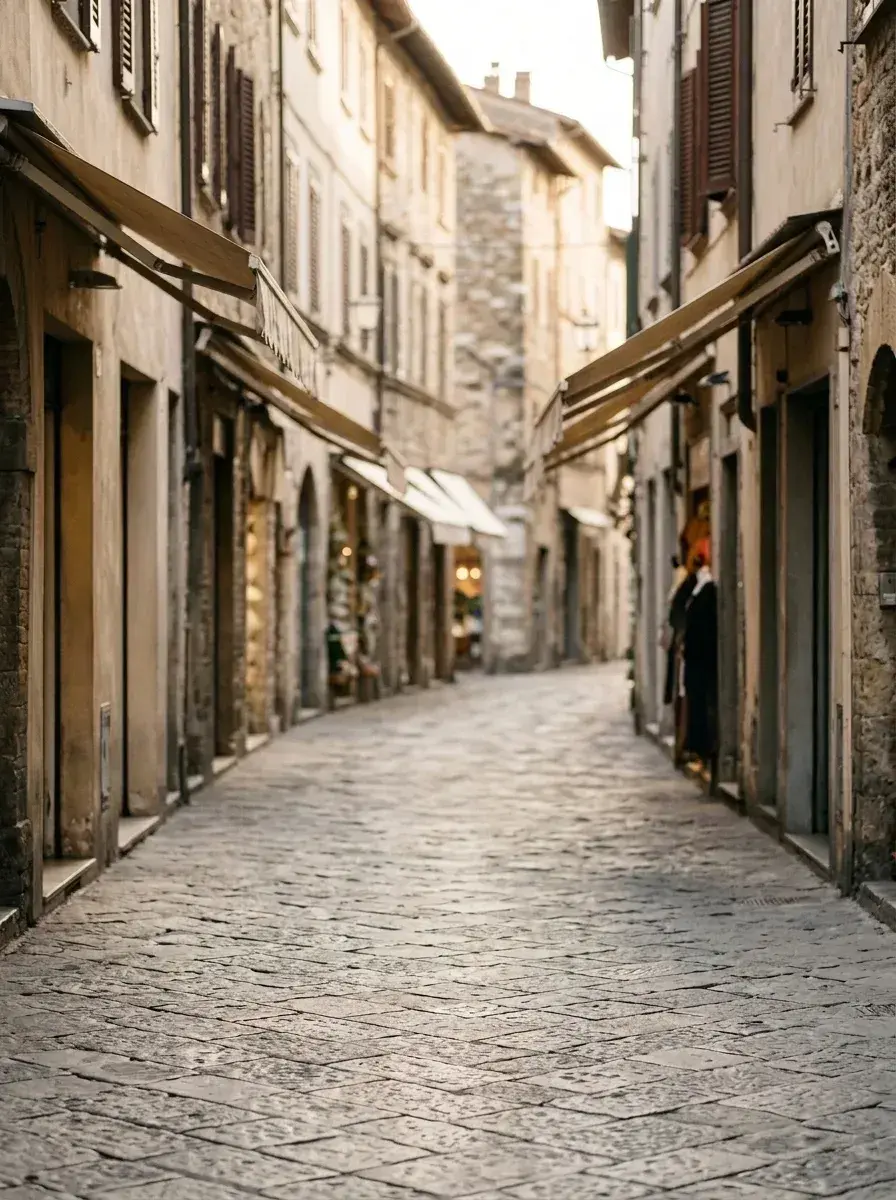 Before → after
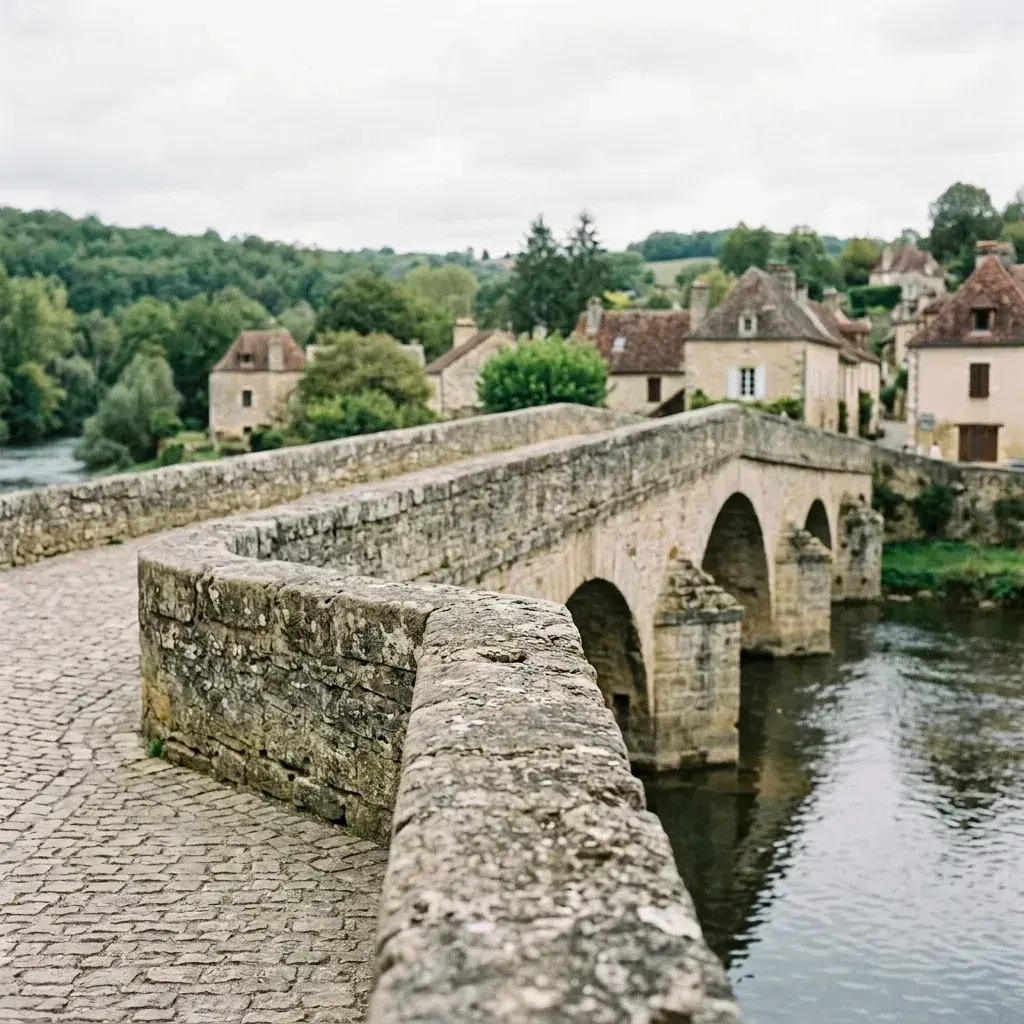 Before → after
Common questions
Why does Magic Eraser leave a smear where the person was?
Can I remove a whole group in one go?
Do I need to install anything?
Is there a watermark?
What does it cost?
Can I try it before paying?
What happens to my photo?
Is Magic Eraser still worth using?
Ready to fix your photo?
3 HD edits for $4.99 once · no subscription. Each new generation uses one edit.
or drag & drop it here
JPEG · PNG · WebP · up to 20 MB · zero photo storage